NewThe Tower app & the phone app · invite-only early access

A tower of AI agents for every website you run.

Hubbase is one admin for all your sites, stores and customers. Each floor of your Agent Tower is a team of AI agents — writing, merchandising, answering calls and email, following up leads — and you approve what goes live. Your real sales grow the building.

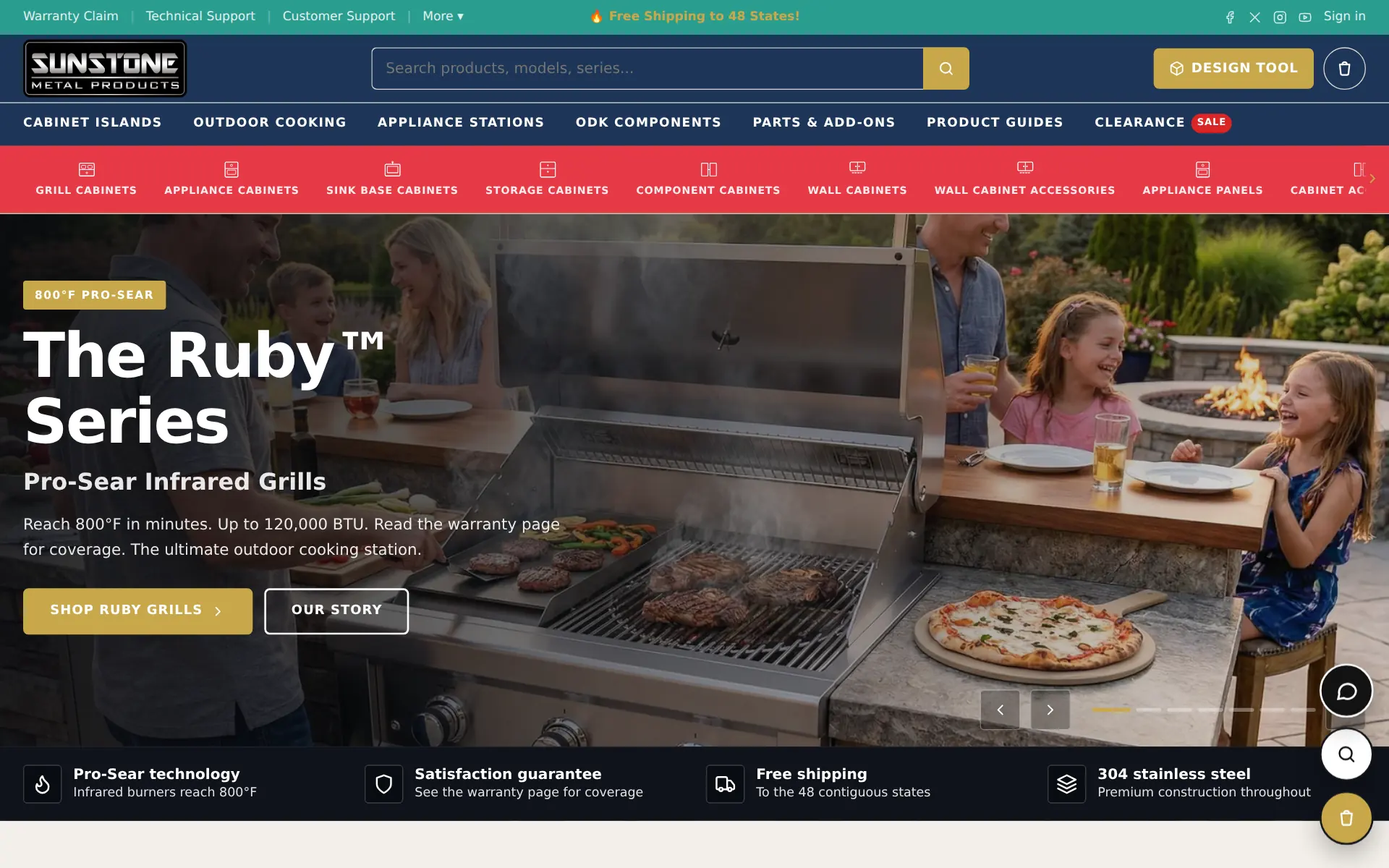
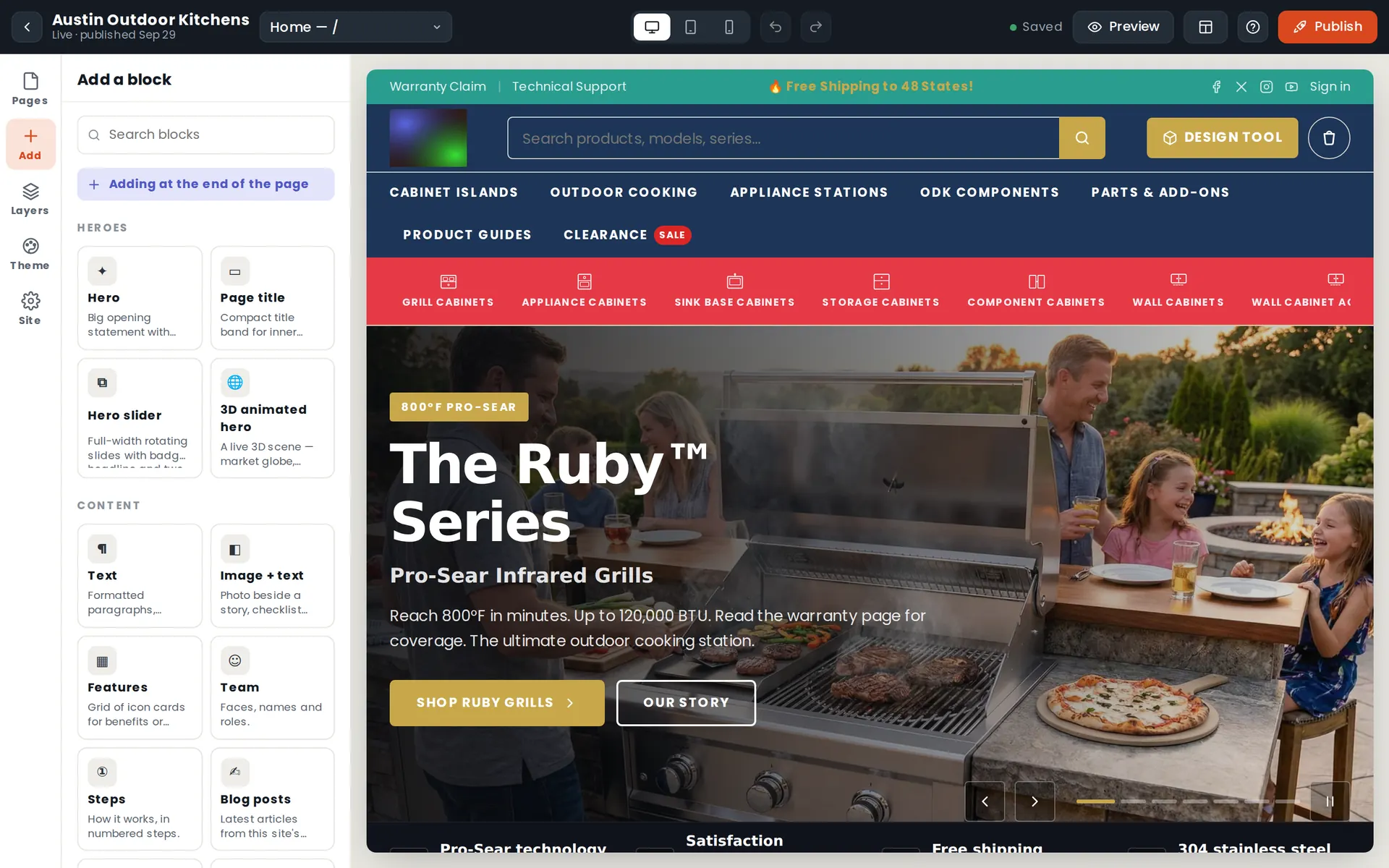
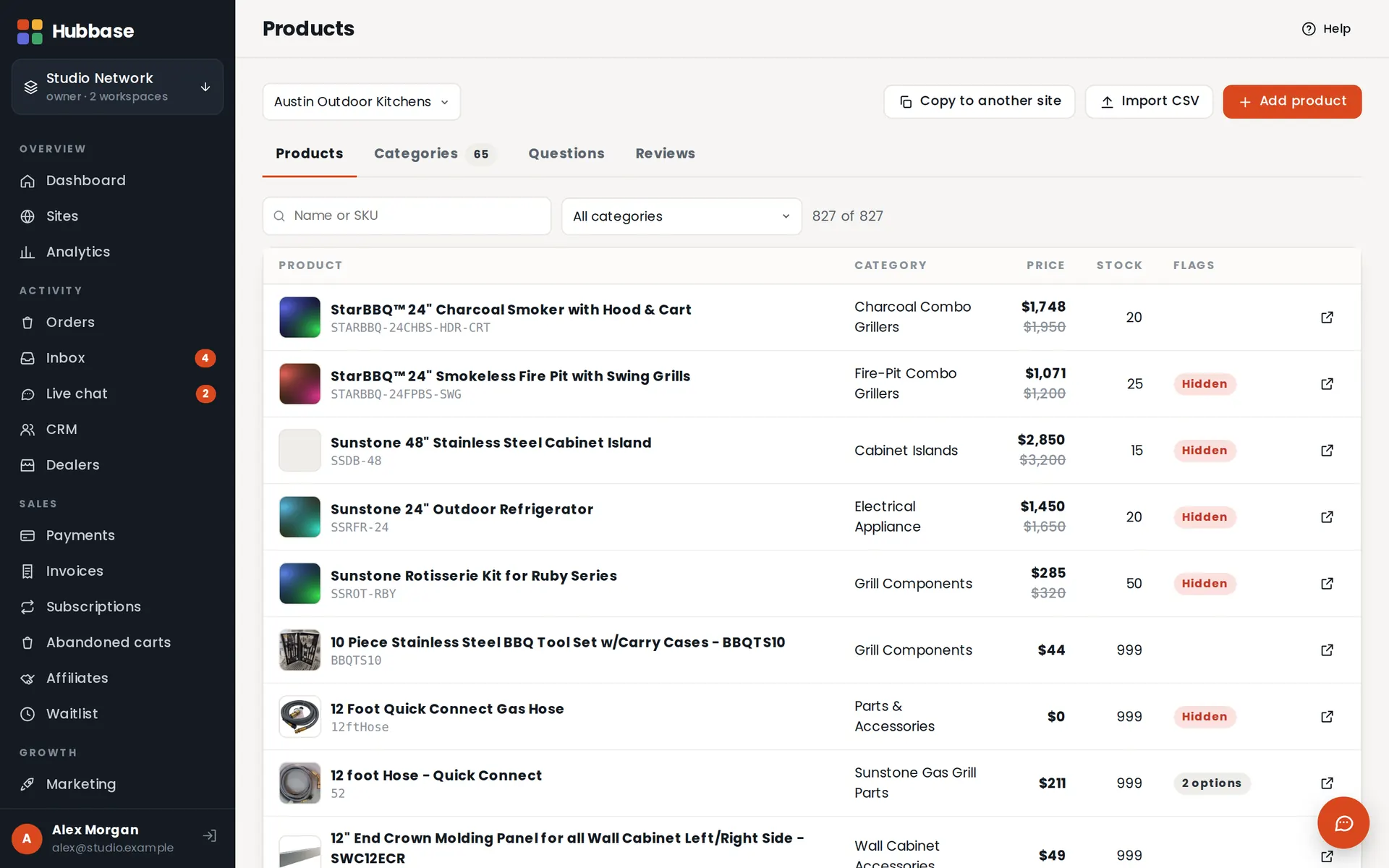
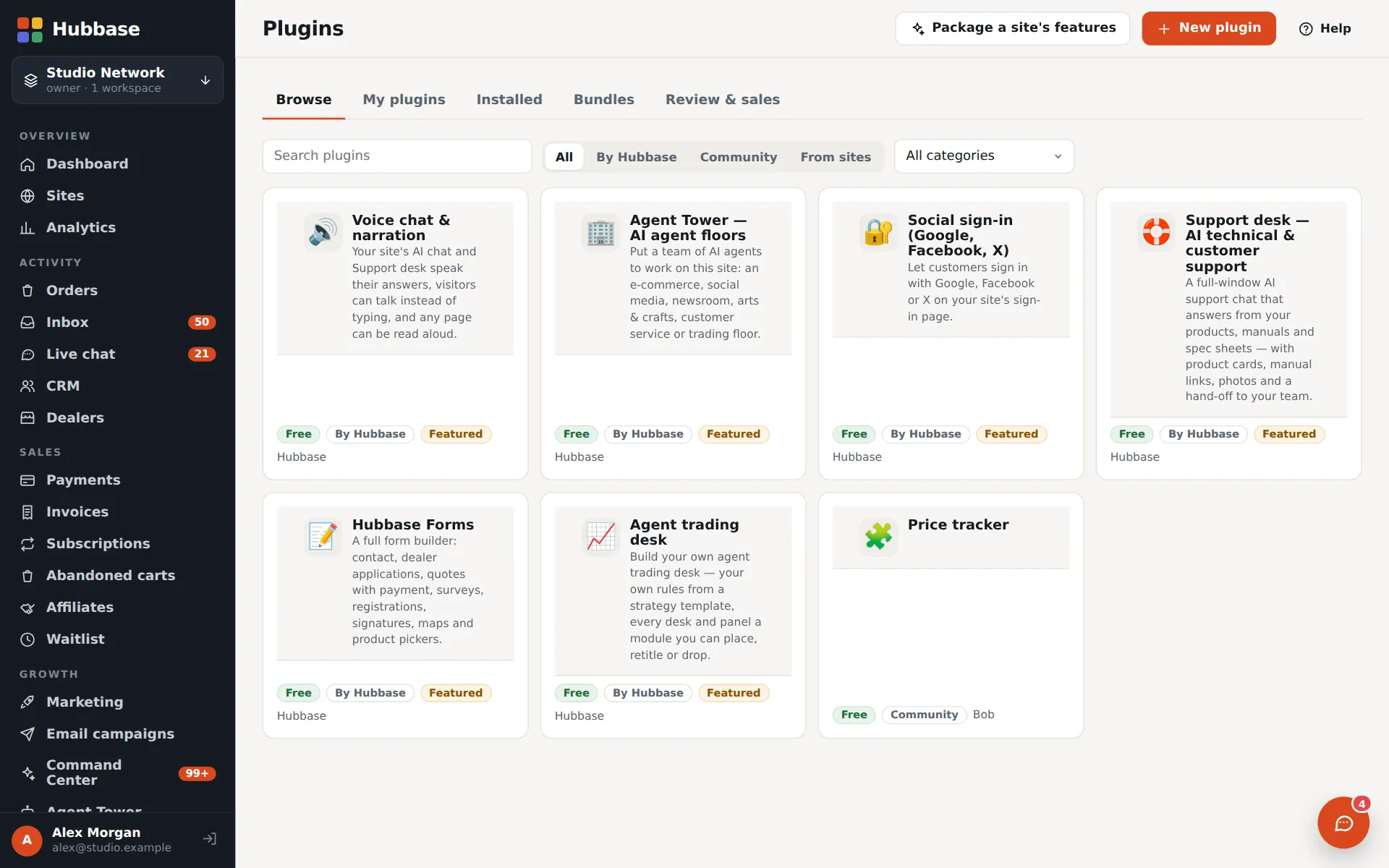
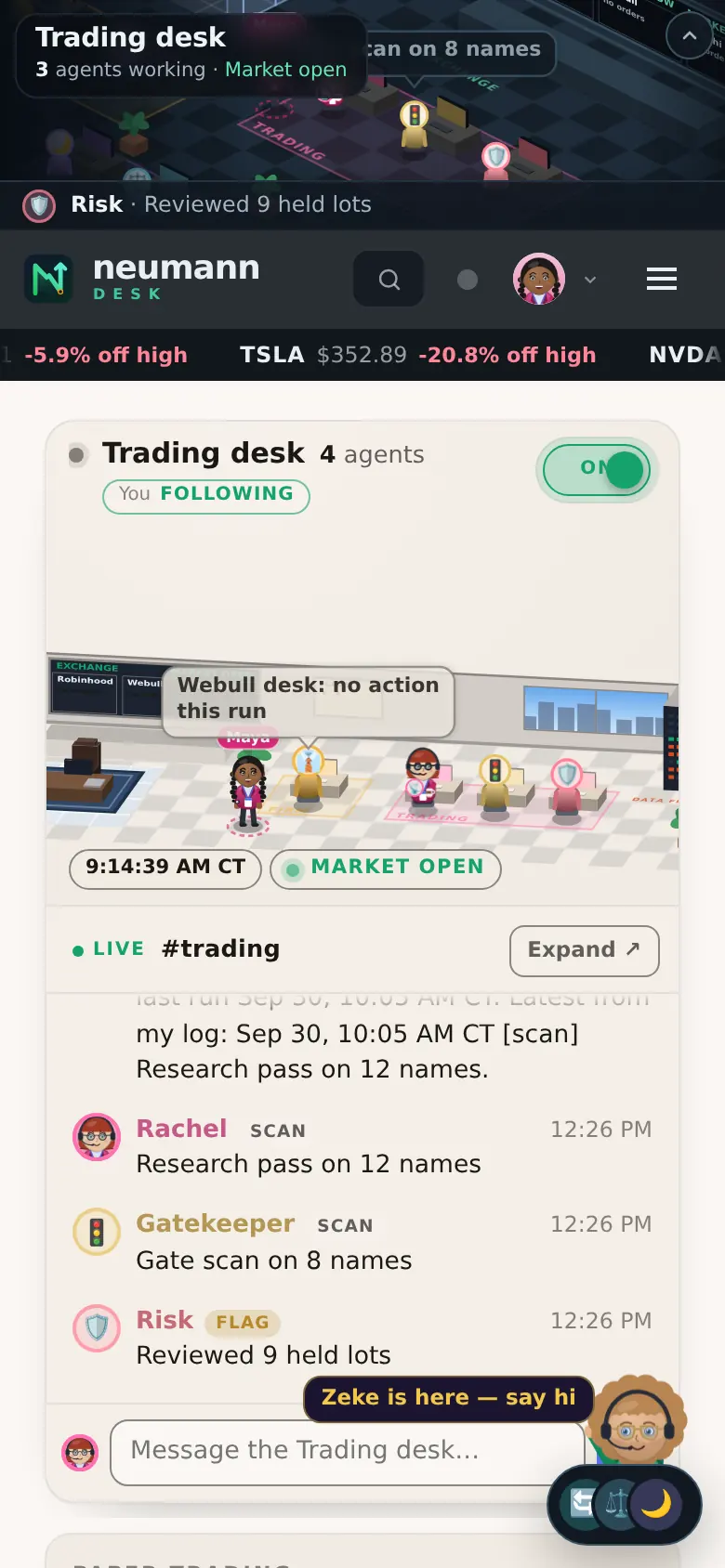
See it live — two real sites built on Hubbase
30 days freeAgents draft — you approveCancel any time
The Agent TowerAn illustrated skyscraper: the Hubbase floor at the base and five floors of AI agents above it — store, social studio, customer service, newsroom and trading — with an elevator moving between them, a crane adding a new floor on the roof and revenue goal markers along the side. + Add a floor Trading floor ✓ Signal logged Newsroom ✓ Article drafted Customer service ✓ Call answered Social studio ✓ Post scheduled Store floor ✓ Order shipped Hubbase floor HUBBASE $100k$50k$10k
Agent TowerThe Tower appPhone appHubbase floorChat & FeedNeeds attentionAutopilotReply draftsSite auditLead reportsMAP enforcementCompetitor trackingDealer price sheetsPhone & email agentsSupport deskCRMMarket research mapProspect enrichmentEmail campaignsSMSAffiliates & rep pagesPartner programAI search visibilityVisual builderStores & checkoutFormsEmbedsPluginsTrading desk kitMCP & agent keysAgent TowerThe Tower appPhone appHubbase floorChat & FeedNeeds attentionAutopilotReply draftsSite auditLead reportsMAP enforcementCompetitor trackingDealer price sheetsPhone & email agentsSupport deskCRMMarket research mapProspect enrichmentEmail campaignsSMSAffiliates & rep pagesPartner programAI search visibilityVisual builderStores & checkoutFormsEmbedsPluginsTrading desk kitMCP & agent keys
Showcase

See it live — two real sites built on Hubbase.

A subscriber trading desk and a manufacturer's storefront, rebuilt into Hubbase and running today. See every feature, then open the live site.

The Agent Tower

Every floor is a team. Every agent has a job.

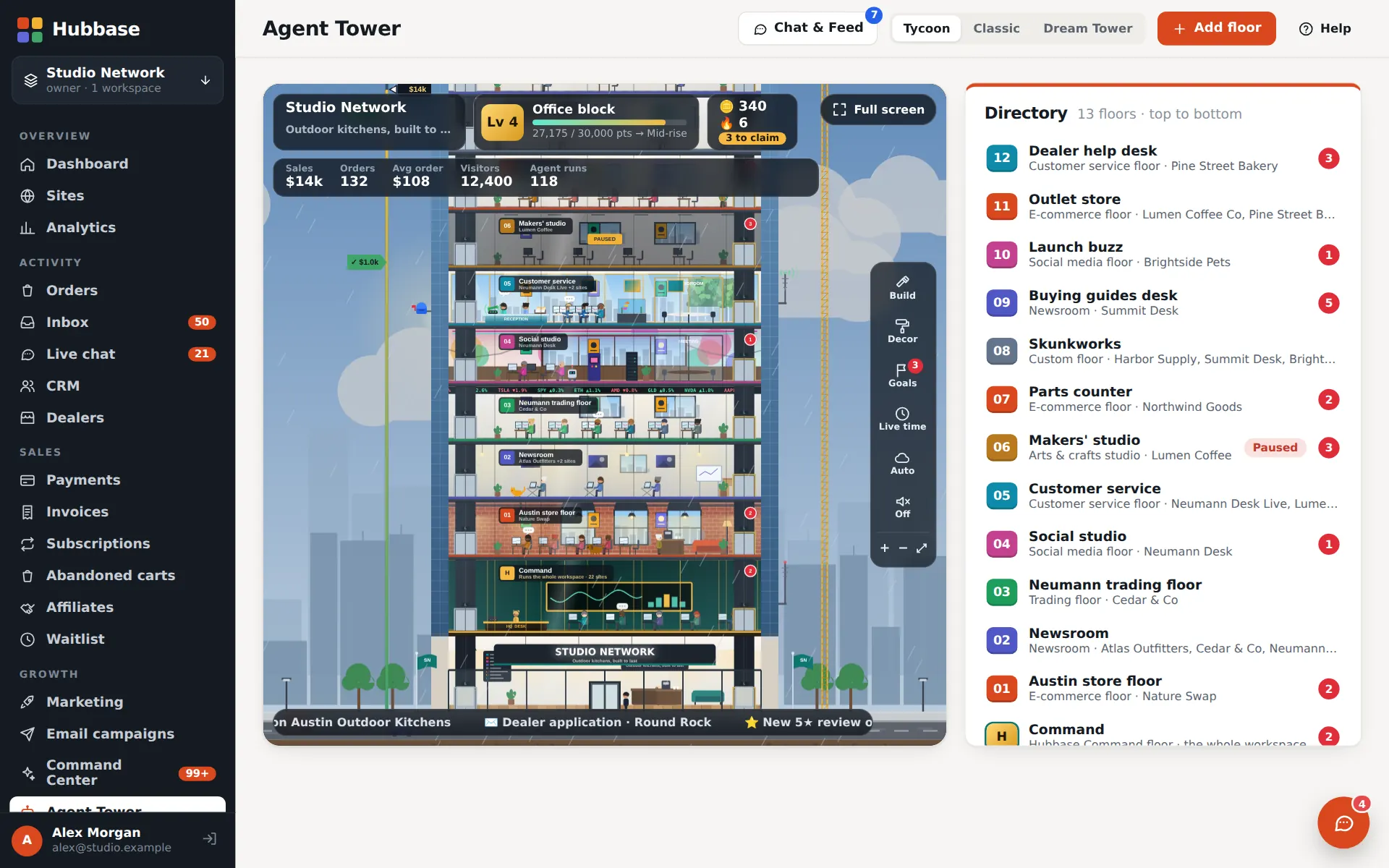
Pick a floor type, connect the sites it works on, and set each area to off, draft or auto. The tower shows who's doing what — live.
  1. H
    Hubbase floor add-onThe base floor: a console that runs your whole admin, plus HQ phone and email desks.
  2. 1
    Store floorMerchandiser, SEO lead, order desk, stock keeper, review desk.
  3. 2
    Social studioSocial producer, community manager, content writer.
  4. 3
    NewsroomStaff writer, SEO editor, copy editor.
  5. 4
    Customer serviceLead follow-up, review desk, order desk — with a phone line and inbox.
  6. 5
    Trading floorThe desk engine's agents, with its own rules and schedule.
  7. 6
    Custom floorStart empty and pick any agent kinds.
hubbase.app/admin · Agent TowerSample data
The Agent Tower in Tycoon view: a cutaway building with a floor directory
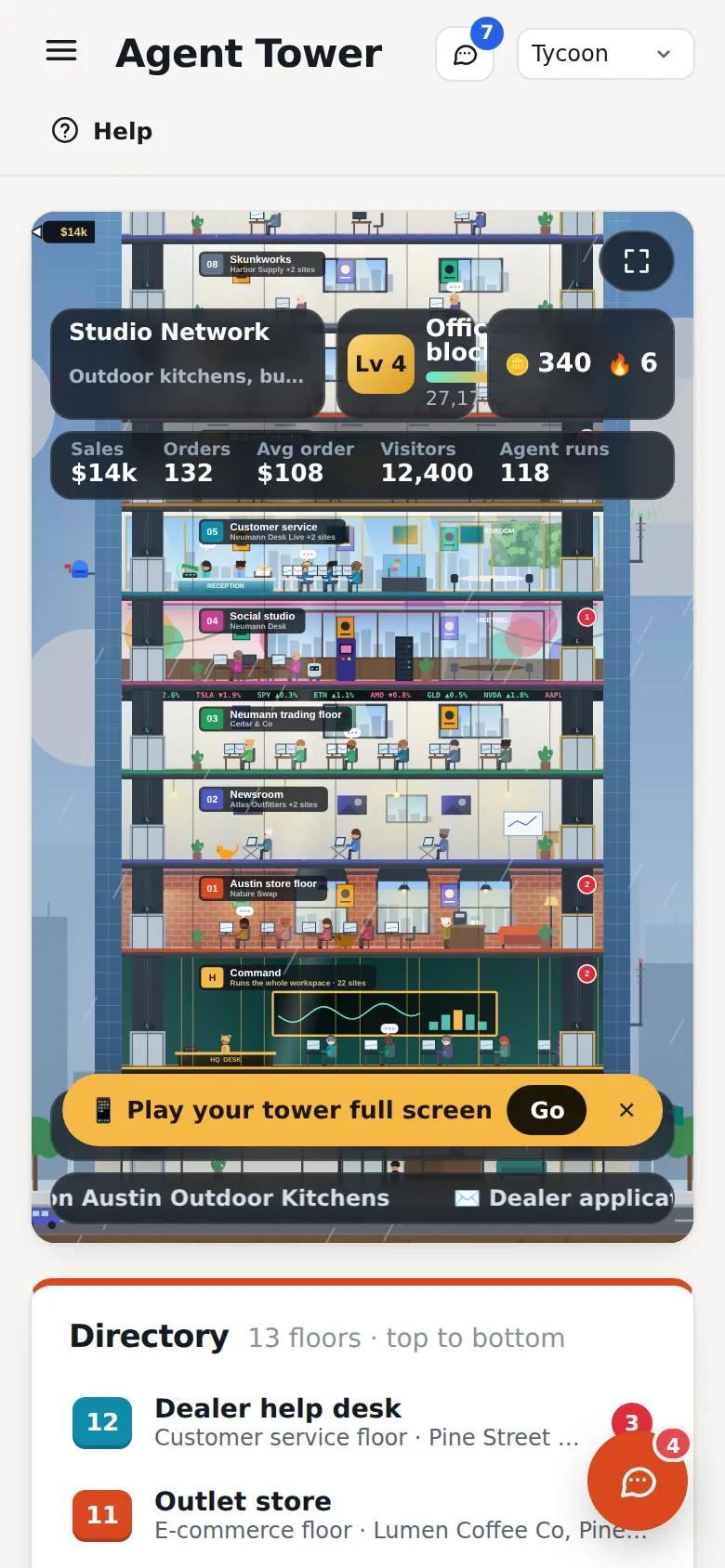
The Agent Tower on a phone

Chat & Feed

DM one agent, group-chat a floor or broadcast to the whole tower. One live feed of runs, drafts and approvals.

Visible steps, fix-it links

Every task shows its steps. When something needs you, the agent links straight to the setting to fix.

A phone line and inbox per floor

Agents greet callers, take callbacks and triage email — with a voice designer and answering service.

Same bots on your sites

Avatars stay in sync: change an agent's look in the tower and the chat bot on the site matches.

Catalog audit

Checks every product against your reference sites and drafts fixes for approval — prices only ever change by a person.

Off · draft · auto

Publishing, customer emails and money are never automatic unless a manager switches that area to auto.

Agent TowerGrowth+Multi-site agent floorsPro+
The Tower app

Run Hubbase like a game — the missions are your real work

Open the Tower and the building goes full screen with a game-style HUD: your level and XP, coins, a check-in streak and today's missions. Whatever is waiting for a person — drafts to approve, replies to send, tickets, orders, website fixes, lead reports — becomes a deck of cards you swipe through, with a dock for Missions, Approve, Inbox, Shop and More.

  • Open it from the raised Tower button on your phone, or from Open Tower at the top of the desktop admin
  • Tap a floor for its control room — its agents, its queue and quick actions. Every classic admin screen still opens inside the tower
Agent TowerGrowth+

Missions are real work

Cards are built only from what is actually waiting: approvals, reply drafts, Needs attention, lead reports and site upgrades. With nothing waiting there are no missions.

Swipe — with an Undo

Right is the card's main action, left is skip. Every change waits six seconds behind Undo, rejecting is a deliberate tap, and money always needs a confirm tap.

Rewards are cosmetic

Reviewing a card pays the same XP and coins whether you approve, skip or reject — once a day per card, with a daily cap. Coins buy looks for the tower and nothing else.

How the Tower app works

Phone app

Hubbase on your phone — an app-style admin, and app-style stores

On a phone the admin works like an app: a bottom tab bar with Home, Attention, a raised Tower button, Orders, Inbox and More, lists as stacked cards, dialogs as sheets and pull-to-refresh on list screens. It is an installable web app — add it to your home screen from the browser and it opens full screen from its own icon. There is nothing to download from an app store.

  • Home-screen shortcuts to the Tower, Needs attention, Orders, Inbox and Approvals, and an icon badge for what needs you on phones that support badges
  • An offline page when there is no connection — Hubbase needs a connection to load and save your data
  • A focused Builder for phones: the page list, a live preview of the draft, Site audit, Publish and quick text and picture edits. Layout work stays on a larger screen
  • Stores built in Hubbase get phone chrome too: a compact top bar, a bottom tab bar (Home, Shop, Search, Cart, Account), a drill-down menu, a sticky add-to-cart bar and a filter sheet
  • Each built site can offer its own Add to Home Screen — switched per site in the Builder
Goals & games

A game you win with real sales.

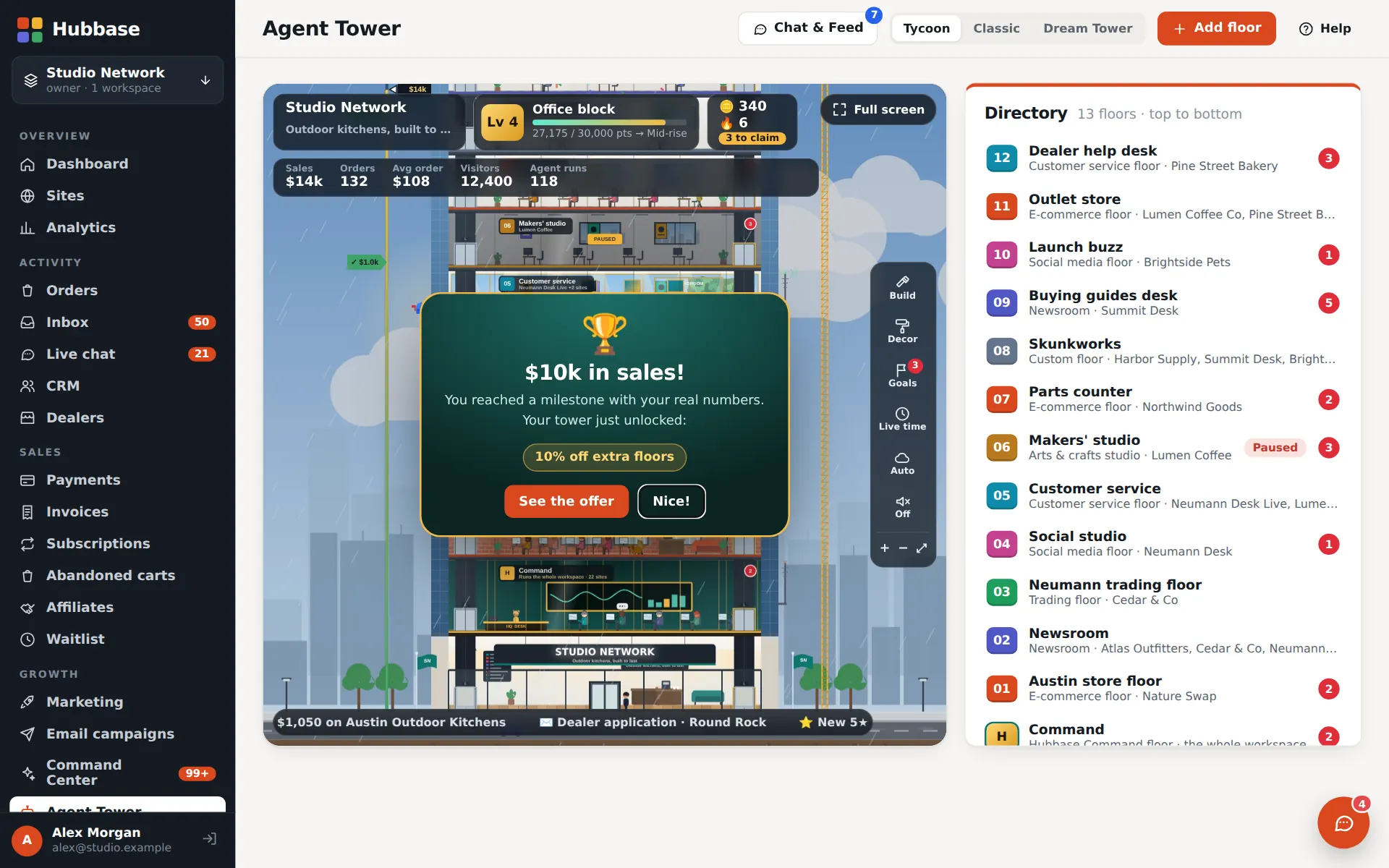
Goal markers climb the side of your tower, measured from your real orders and revenue. Hit one and the building unlocks styles, rooms and decor; from $250,000 in lifetime sales some milestones also bring a discount on extra agent floors or a free one.
Agent Tower · TycoonSample data
A milestone reached in the Tycoon view: $10k in sales unlocks extra floors

Tycoon view

A living building with elevators, tenants, day and night, daily goals and streaks. Tower credits buy cosmetics only.
Agent Tower · Dream TowerSample data
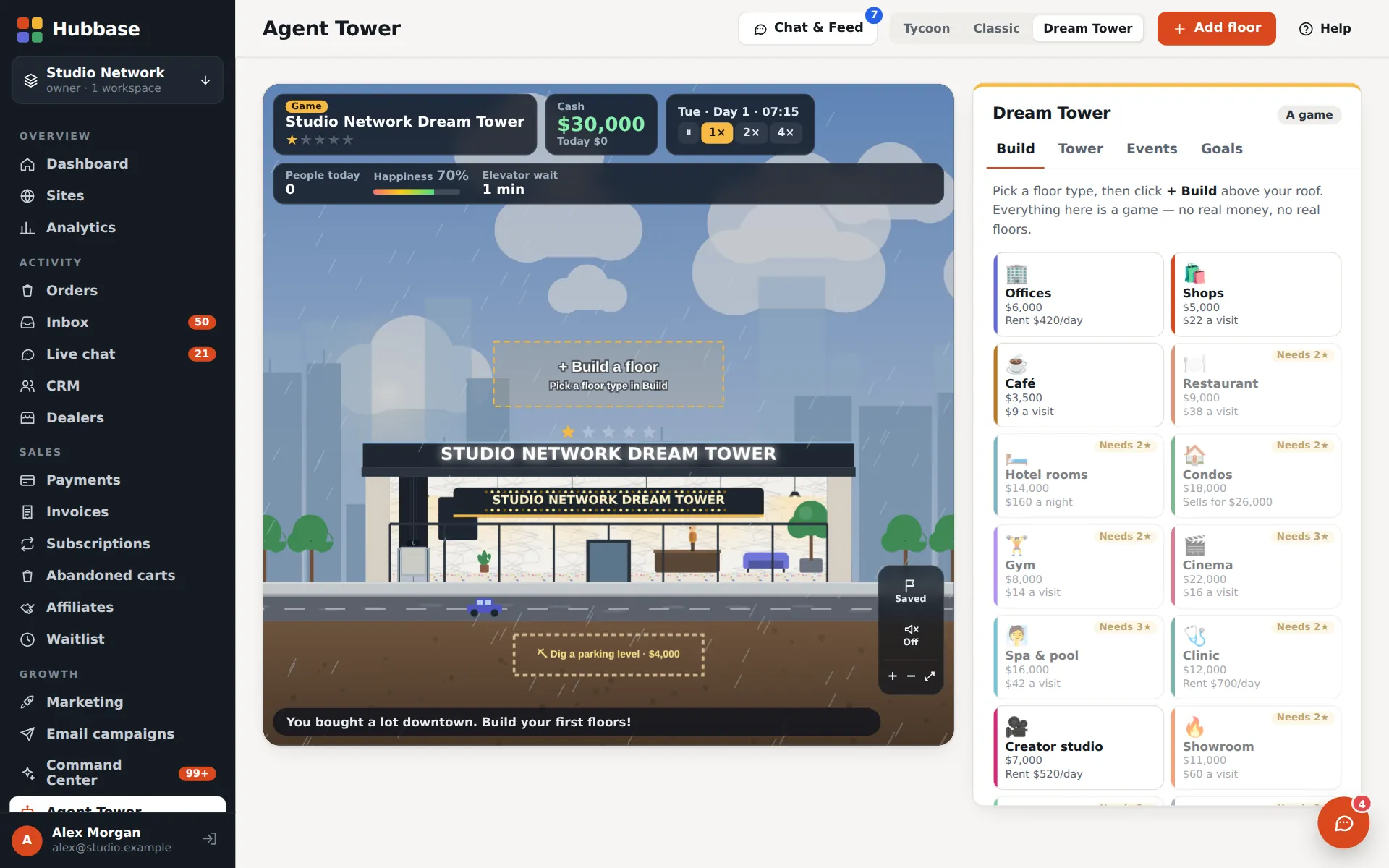
Dream Tower: a sandbox tower-builder game

Dream Tower

A sandbox for the businesses you want next — offices, shops, hotels, gyms. Clearly a game: nothing real is bought.

Full-screen game mode for phones, with an arcade: Tower Stack (a crane-stacking game with a daily challenge) and the desk's game room.

Hubbase bots

Bots that work across every site and floor.

Your agents operate the websites connected to their floor — and the Hubbase floor runs the admin itself from plain-English orders. Bring your own AI too: Claude, ChatGPT, Grok and Gemini connect with scoped agent keys over REST or MCP.
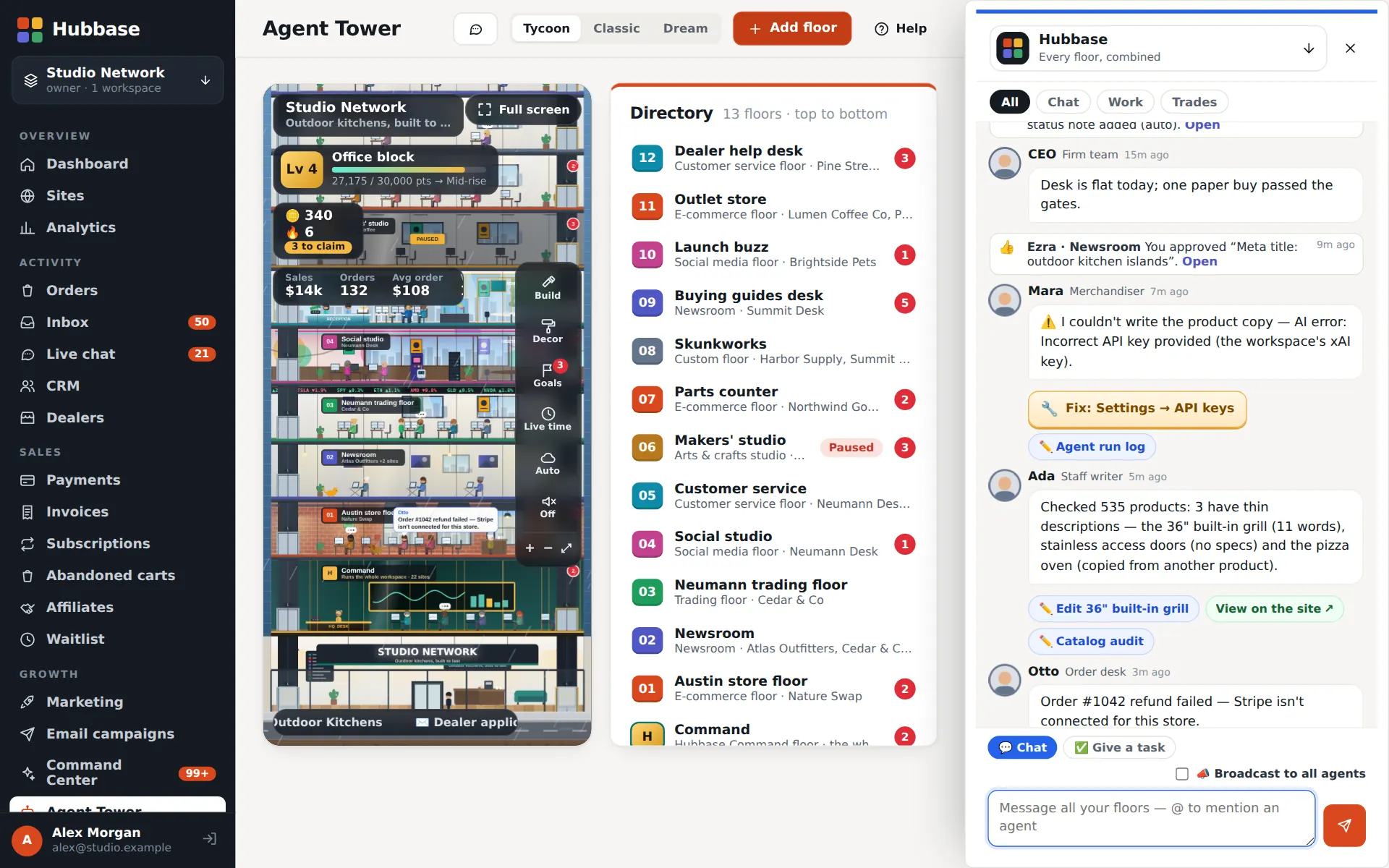
  • One floor can serve several websites and projects
  • Hubbase floor: “put the Ruby grills on sale and draft an email” — done in visible steps
  • Agent keys with per-area permissions, per-site limits and a full log
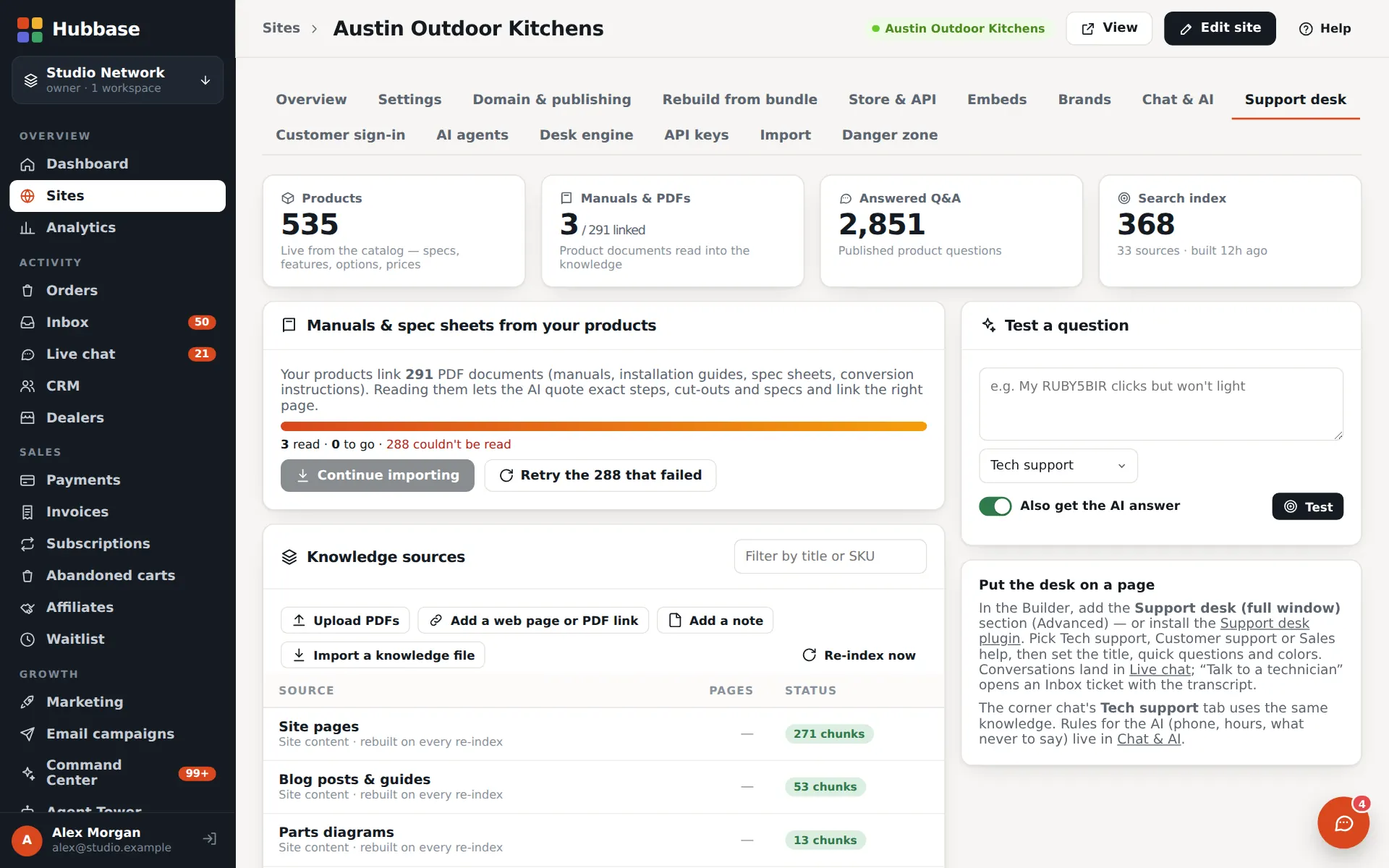
  • Your site's chat bot, support desk and phone agent share one knowledge base
Agent TowerGrowth+Multi-site agent floorsPro+API & MCP accessPro+
Agent Tower · Chat & FeedSample data
The tower's Chat & Feed: agents reporting tasks, fixes and approvals
Needs attention & Autopilot

The bots flag and draft. You approve.

Checks run across every site and tell you what needs a person. Replies, fixes, lead reports and notices arrive as drafts — nothing is sent, published or added without a yes.

Off until you turn it on. Automatic checks only flag. Automatic reply sending and the weekly digest are off by default, and switching on automatic sending takes an owner's typed confirmation. Anything that reaches outside Hubbase needs its own setup first: an AI key, email sending, Twilio for texts, a search key for web research and a Cloudflare token for domains.

Build with AI, finish by hand

Let any AI build it. Then change it yourself.

Prompt-only site builders make every small fix another prompt — more waiting, more credits, sometimes the same fix in circles. In Hubbase an AI agent builds the site, and you change colours, fonts and layout by hand in seconds.

Prompt-only AI site builders

Every change is another prompt.

  • You describe the site; it generates one
  • To change a colour or a font, you write another prompt — and wait
  • Every round trip spends credits
  • Fixes can loop: it changes something else, or almost fixes it
  • Hard to see exactly what changed before it's live
Hubbase

Any AI builds it. You finish it by hand.

  • Any AI agent builds it — Claude, ChatGPT, Grok or Gemini connect with a scoped key over MCP or the API
  • Then you edit it yourself in the visual Builder: click text, pick colours and fonts, drag blocks
  • Small changes cost nothing and take seconds
  • No fix loops — you see the change as you make it
  • Drafts, a publish button, undo and saved looks keep the live site safe

How the showcase sites were built

Run the whole business

Sell, grow and support — in one admin.

Real screens from Hubbase, captured with sample data.

CRM, research map & enrichment

Find prospects on a map — then learn who to call

Everyone who orders, writes in or applies on any site becomes a CRM contact. The research map finds businesses that could sell or install your products; enrichment reads their websites for the people, emails and phone numbers behind them, with where each fact came from.
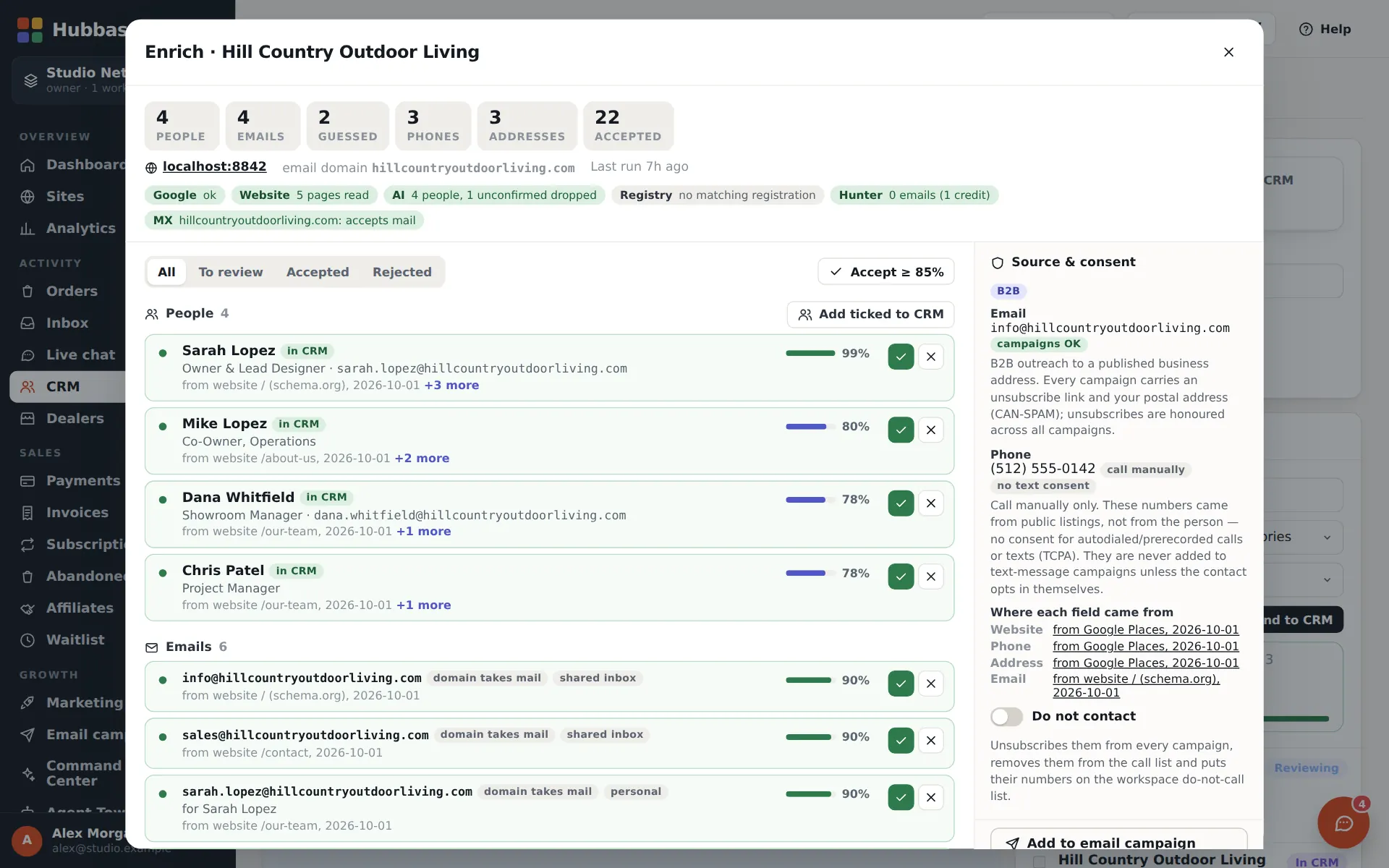
  • Contacts, companies, deal pipeline, tasks and the dealer locator
  • Market research by category and area; already-signed dealers are marked
  • Enrichment with confidence scores, consent notes and a do-not-contact list; call and campaign lists in one click
CRM — contacts, deals & dealersevery planMarket research mapGrowth+Prospect enrichmentPro+
hubbase.app/admin · CRM › Market researchSample data
CRM, research map & enrichment in Hubbase
Enrichedpeople & emails
Affiliates & rep pages

Every rep gets a landing page — and a chat line

Run an affiliate program with links, commissions and payouts. On the next layer each rep gets their own landing page at /a/their-name, shoppers can chat with them, and the rep is credited on the order and the invoice.
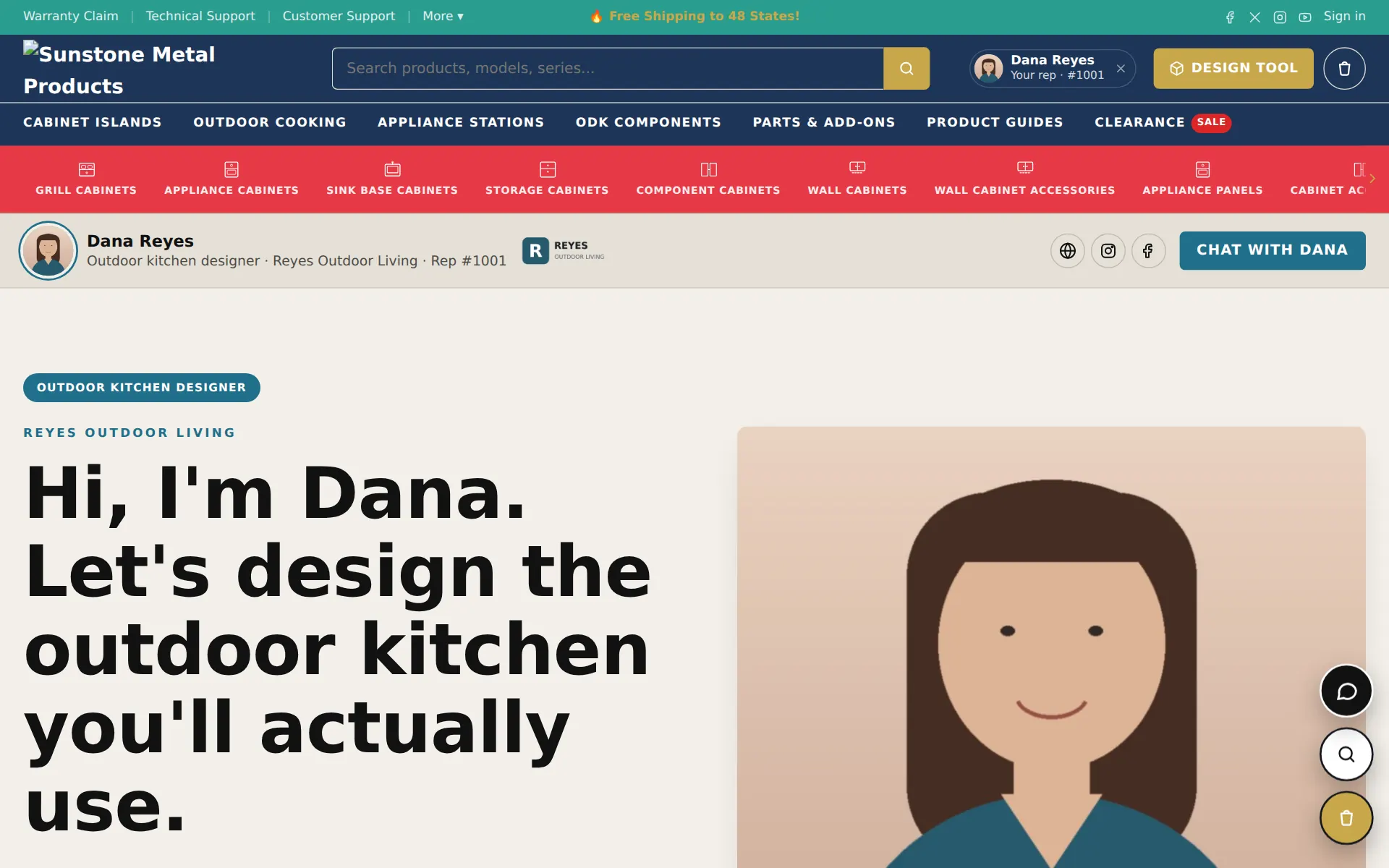
  • Pre-build a rep's page for them and send the invite
  • The rep's badge follows the shopper through cart and checkout
  • Rep inbox with private notes; the rep shows on orders and invoices
Affiliate programevery planRep landing pages & rep chatGrowth+
yourstore.com/a/dana-reyesSample data
Affiliates & rep pages in Hubbase
Email & campaigns

Branded email — then campaigns

Order and account emails go out in your brand, designed in a drag-and-drop email builder. Turn on campaigns to email your CRM audiences — by site, tag, customers or leads — with unsubscribes handled for you.
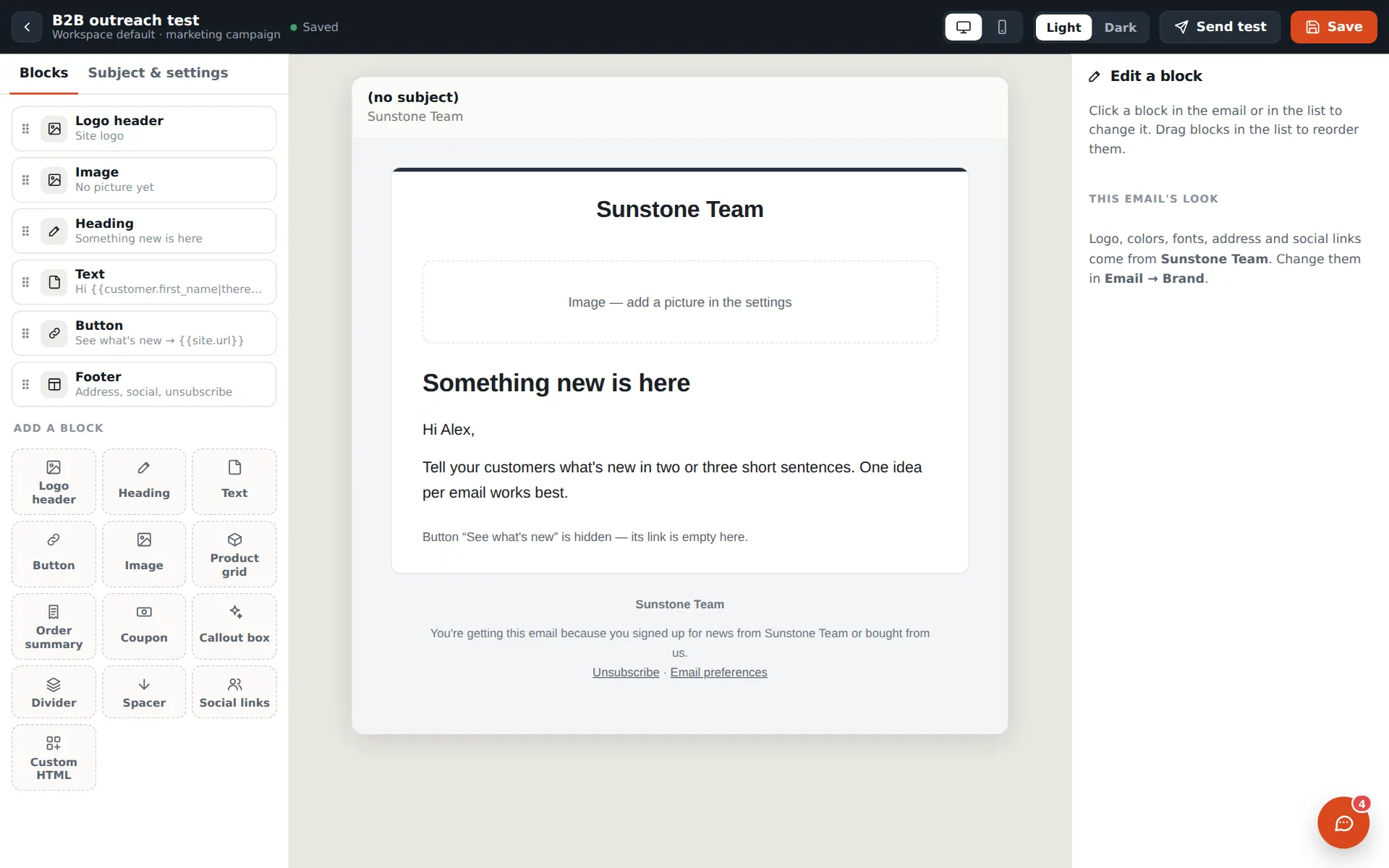
  • Email builder: logo header, product grid, order summary, coupon, social links, light and dark
  • Campaign sending through Amazon SES or your own provider, with warm-up and sending health
  • Unsubscribe and email-preference pages on every campaign
Email — orders & branded templatesevery planEmail campaignsGrowth+
hubbase.app/admin · Email › Campaign designerSample data
Email & campaigns in Hubbase
Phone, email & voice

Agents that answer the phone and the inbox

Give a floor its own phone line and inbox. Its agents greet callers, answer from your support knowledge, take messages and callbacks, and triage email by urgency — and your sites can read pages aloud and talk with visitors.
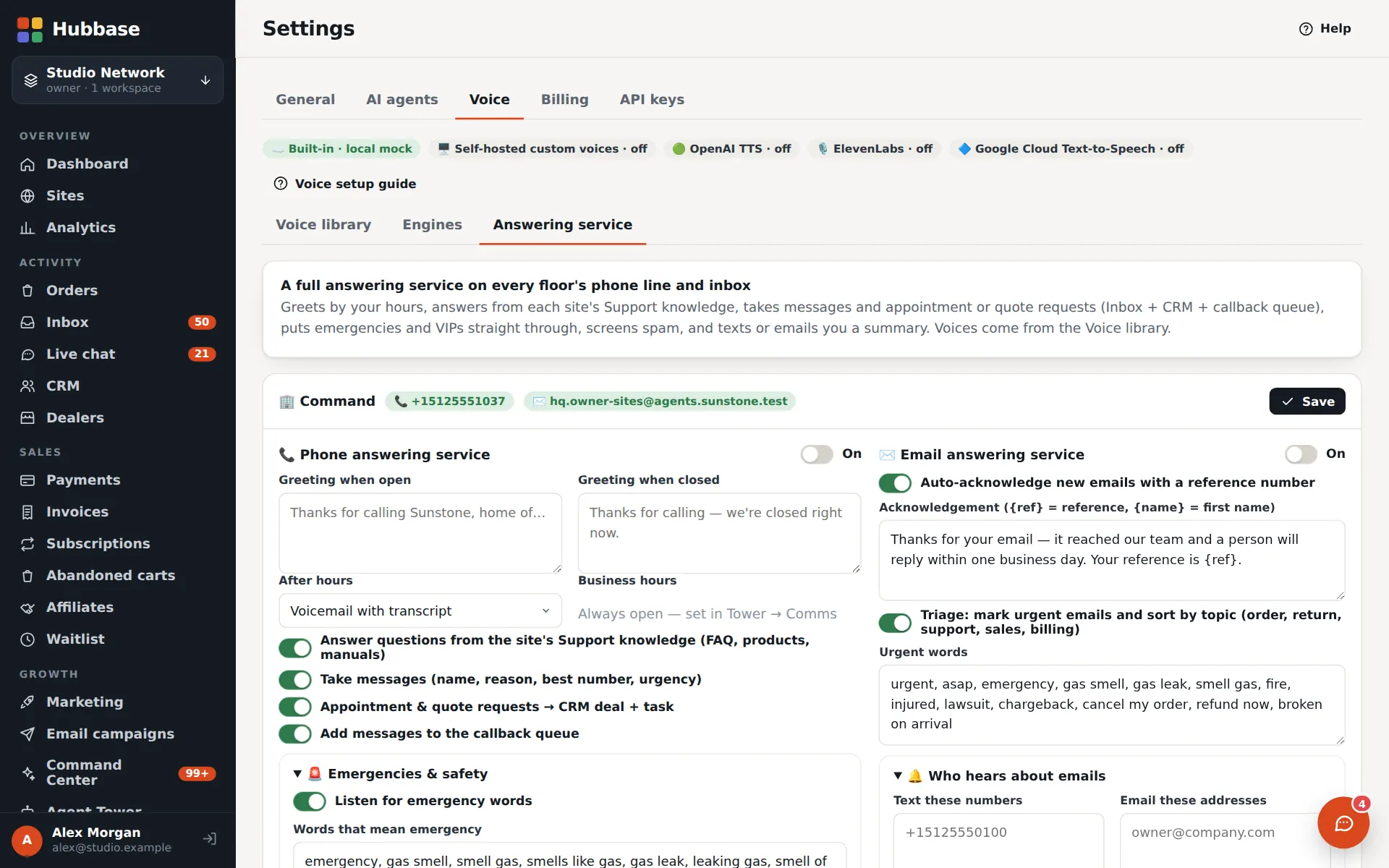
  • Answering service: open and closed greetings, voicemail with transcripts, callback queue, recordings
  • Voice designer and a voice library for phone agents and site narration
  • Phone lines and inboxes are per-floor add-ons; call minutes are billed by Twilio
Voice & narrationevery planAI answering service & voice designerPro+
hubbase.app/admin · Settings › VoiceSample data
Phone, email & voice in Hubbase
How the layers work

Start with the base. Unlock the next layer.

Every module has a base and layers on top — a base CRM, then the research map, then enrichment. Each plan unlocks the next layers, and Agent Tower add-ons stack on any plan that has the tower.

Commerce
  1. Stores, checkout & paymentsevery plan
  2. Affiliate programevery plan
  3. Rep landing pages & rep chatGrowth+
  4. Brands network & drop-shipGrowth+
  5. Anywhere Store embedsGrowth+
Customers & CRM
  1. CRM — contacts, deals & dealersevery plan
  2. Market research mapGrowth+
  3. Prospect enrichmentPro+
Email, texts & voice
  1. Email — orders & branded templatesevery plan
  2. Email campaignsGrowth+
Email, texts & voice
  1. Text messages — order textsevery plan
  2. SMS campaignsGrowth+
Email, texts & voice
  1. Voice & narrationevery plan
  2. AI answering service & voice designerPro+
  3. Site tours & onboardingGrowth+
  4. Product sales narratorPro+
AI agents & the Agent Tower
  1. AI agents & Command CenterGrowth+
  2. Agent TowerGrowth+
  3. Multi-site agent floorsPro+
Add-ons on the towerExtra agent floor $19Hubbase floor (Command) $99Agent phone line $29Agent email inbox $15HQ phone desk $79HQ email desk $39
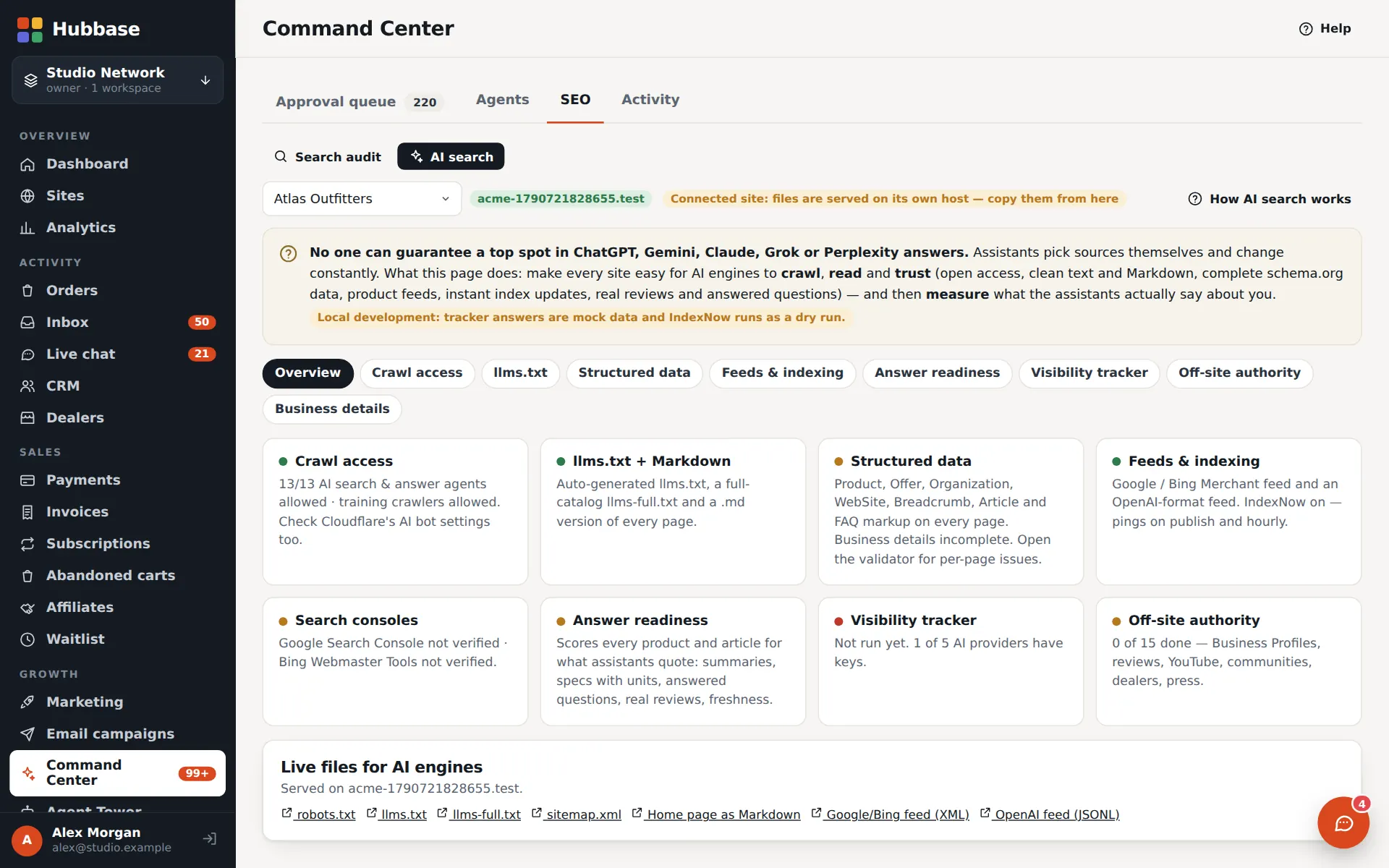
AI search visibility
  1. AI search visibilityGrowth+
  2. AI answer trackerPro+
Pricing

Simple plans. 30 days free.

Every trial starts with the Pro features on. Card required, nothing charged until your trial ends.

Starter

Launch and run your first sites

$29/ month
Billed monthly
Start 30-day free trial
  • 3 websites
  • 250 products
  • 2 team seats
  • 200 AI credits / mo
  • 5 GB storage
  • 1 agent floor included

  • Includes:
  • Stores, checkout & payments
  • Affiliate program
  • CRM — contacts, deals & dealers
  • Forms builder
  • Support desk & manuals
  • Email — orders & branded templates
  • Text messages — order texts
  • Voice & narration
  • Custom domains
Most popular

Growth

The Agent Tower, campaigns and the research map

$79/ month
Billed monthly
Start 30-day free trial
  • 10 websites
  • 2,500 products
  • 5 team seats
  • 1,500 AI credits / mo
  • 25 GB storage
  • 2 agent floors included

  • Everything in Starter, plus:
  • Rep landing pages & rep chat
  • Brands network & drop-ship
  • Anywhere Store embeds
  • Market research map
  • Email campaigns
  • SMS campaigns
  • Site tours & onboarding
  • AI agents & Command Center
  • Agent Tower
  • AI search visibility

Pro

Every module — enrichment, answering service, API

$149/ month
Billed monthly
Start 30-day free trial
  • 25 websites
  • 25,000 products
  • 15 team seats
  • 6,000 AI credits / mo
  • 100 GB storage
  • 3 agent floors included

  • Everything in Growth, plus:
  • Prospect enrichment
  • AI answering service & voice designer
  • Product sales narrator
  • Multi-site agent floors
  • API & MCP access
  • Agent trading desk kit
  • AI answer tracker

Agency

Unlimited sites for you and your clients

$299/ month
Billed monthly
Start 30-day free trial
  • Unlimited websites
  • Unlimited products
  • 50 team seats
  • 20,000 AI credits / mo
  • 500 GB storage
  • 5 agent floors included

  • Everything in Pro, plus:
  • White-label
30 days free — card required, $0 today Upgrade, downgrade or cancel any time Payments by Stripe
Agent Tower add-onsExtra agent floor $19 / floorHubbase floor (Command) $99Agent phone line $29 / floorAgent email inbox $15 / floorHQ phone desk $79HQ email desk $39Details

Compare every feature and add-on →

FAQ

Questions, answered.

What is Hubbase?
One admin for every website you run. Build new sites visually, connect the ones you already have, and manage their orders, forms, customers, marketing and AI agents in one dashboard — each item labelled with the site it came from.
What is the Agent Tower?
The place your AI agents live. Each floor is a team of agents with a job (store, social, newsroom, customer service, trading or custom) working on the sites you connect to it. You chat with them, watch their live feed, and decide what each floor may do: off, draft for your approval, or automatic.
Do AI agents act on their own?
Only as far as you allow. Each area on a floor is off, draft or auto, and publishing, sending customer emails and moving money stay off or in draft unless a manager switches them on. Drafts wait in an approval queue, every change is logged, and outside agent keys have per-area permissions and per-site limits. Automatic checks only flag things for you, and automatic reply sending stays off until an owner switches it on with a typed confirmation.
How do the plan layers work?
Every module has a base and layers on top. For example CRM → Market research map → Prospect enrichment, Email → Email campaigns, and AI agents → Agent Tower → multi-site floors. Each plan unlocks the next layers; extra floors, the Hubbase floor, phone lines and inboxes are monthly add-ons on any plan that includes the Agent Tower.
Is there a phone app?
Yes — the Hubbase admin is an installable web app. On a phone it has a bottom tab bar, stacked lists and sheets; add it to your home screen from the browser and it opens full screen from its own icon. There is nothing to download from an app store, and it needs a connection to load and save your data. Stores built in Hubbase get an app-style phone layout too.
What is the Tower app?
The Agent Tower, full screen, as a game-style way to run Hubbase. Work that is waiting for you — drafts, replies, tickets, orders, website fixes — becomes mission cards you swipe to approve or skip, with a six-second Undo before anything is sent. Reviewing a card pays the same XP and coins whether you approve, skip or reject, and coins only buy looks for your tower.
What do AI features cost to run?
Agents and AI tools use the AI keys you connect — Anthropic (Claude), OpenAI (ChatGPT), xAI (Grok) or Google (Gemini) — and those providers bill you for that usage directly. Without a key, Hubbase can fall back to a built-in Cloudflare Workers AI model. Your plan also includes a monthly allowance of AI credits for the built-in AI tools.
What about phone, text and email costs?
Add-on prices cover the line or inbox itself. Usage — call minutes, text messages and bulk email sends — is billed by the provider it runs on (Twilio for calls and texts, Amazon SES or your own email provider for campaigns).
Are the tower games real money?
No. Dream Tower is a sandbox game — nothing real is bought. Milestones in the Tycoon view are measured from your real orders and revenue and unlock styles and decor; from $250,000 in lifetime sales some also bring a discount on extra agent floors or a free one. Tower credits — the coins of the Tower app — buy cosmetics only, and you earn them for reviewing work, whatever you decide.
How does the free trial work?
Request an invite. Once approved, you create your account, pick a plan and add a card through Stripe's secure checkout. Nothing is charged during the trial and the trial switches on the trial plan's features. When it ends you move onto your plan automatically — or cancel before and pay nothing.
Can I change plans later?
Yes — upgrade or downgrade any time from Settings → Billing. Upgrades are prorated and switch on immediately; downgrades are credited on your next invoice. Nothing you've built is deleted: pages for features outside your plan lock with an upgrade prompt, and what you made stays readable.
Why is Hubbase invite-only?
We're onboarding businesses in small groups so each one gets a hands-on start. Tell us what you want to build and we'll usually reply within a business day.
Can I bring my existing website?
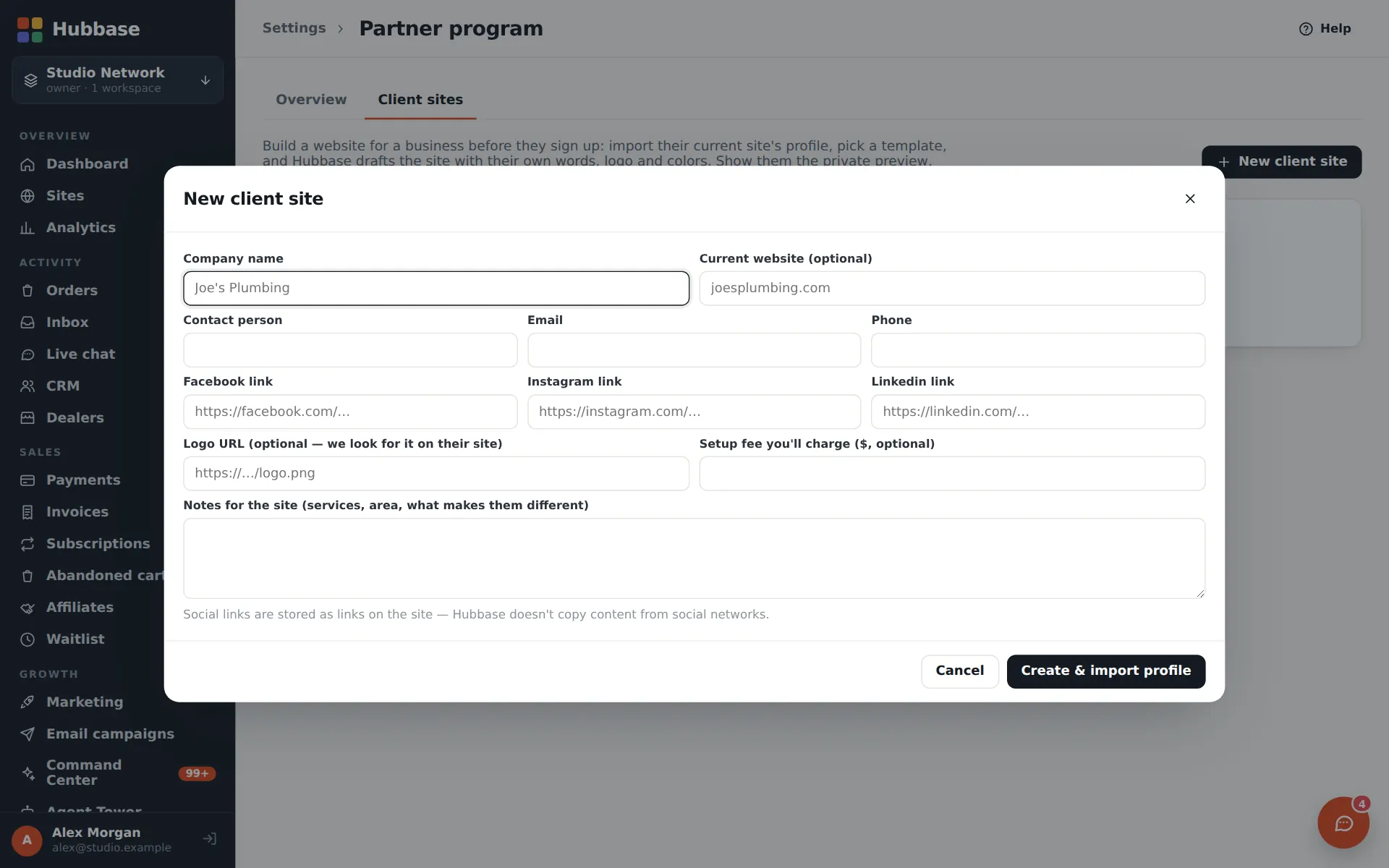
Yes. Connect it with a small snippet so its orders and forms arrive in Hubbase, or use the import wizard to bring WordPress, Shopify, Wix, Squarespace or Webflow pages, products, posts and redirects into the builder.
Which payment processors do stores use?
Each store charges into its own merchant account — card and eCheck through Hubbase Payments (NMI), or Stripe Checkout. Hubbase's own subscription is billed separately by Stripe.
Invite-only early access

Put a team of agents on every floor.

Tell us what you're building. Once you're approved, start a free trial with the trial plan's features on.