Your sites, your store, your customers — and a tower of agents.
Every part of Hubbase, in the real product. The chips under each section show which plan layer it's part of.
Floors of AI agents, in one living building
Every floor is a team of AI agents with a job — a store floor, a newsroom, a social studio, a customer-service floor, a trading floor or your own mix. Connect the sites each floor works on and watch the building work.
- Each area on a floor is off, draft (waits for your approval) or auto — publishing, money and customer emails are never automatic unless a manager says so
- Visible task steps on every job, and “fix it” links that open the exact setting when something needs you
- Agents keep the same look on your websites: change an avatar in the tower and the site's chat bot matches
- One floor can serve several websites and projects on the higher plans
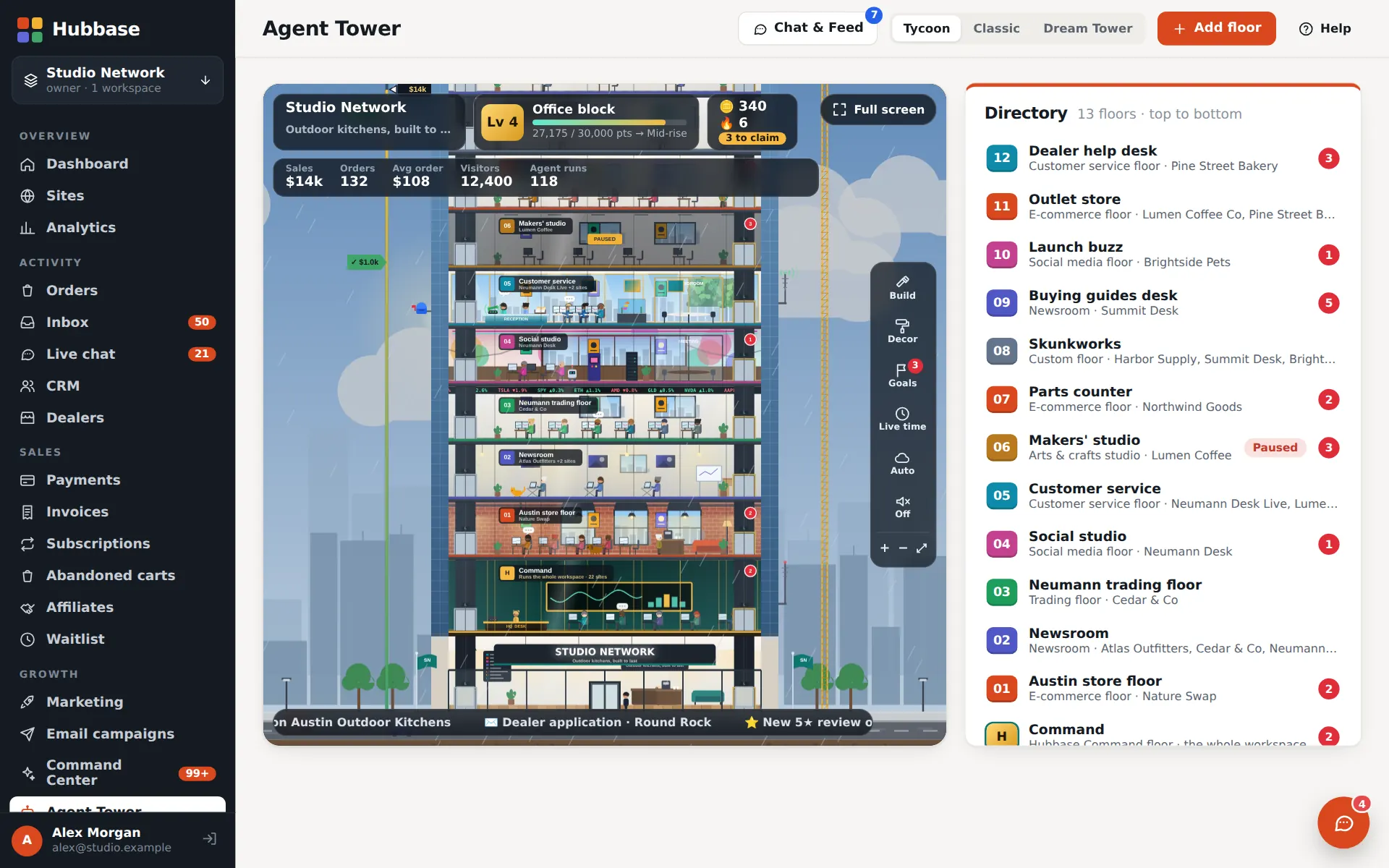
Run Hubbase like a game — the missions are your real work
Open the Tower and the building goes full screen with a game-style HUD: your level and XP, coins, a check-in streak and today's missions. Whatever is waiting for a person — drafts to approve, replies to send, tickets, orders, website fixes, lead reports — becomes a deck of cards you swipe through, with a dock for Missions, Approve, Inbox, Shop and More.
- Missions are never made up: every card comes from your approval queue, reply drafts, Needs attention, lead reports or site upgrades. Nothing waiting means no cards
- Swipe right for the card's main action (approve, send, got it, keep, add) and left to skip. Reject and discard are always a deliberate tap, and anything that spends money asks for a confirm tap and can't be swiped
- Every change waits six seconds behind an Undo before it is sent, and goes through the same permissions as the classic admin
- Tap a floor for its control room — its agents, its queue and quick actions. Every classic admin screen still opens inside the tower
- Rewards are cosmetic: reviewing a card pays the same XP and coins whether you approve, skip or reject, each card pays once a day and there is a daily cap. Coins only buy looks for your tower — never a setting, a price or a plan
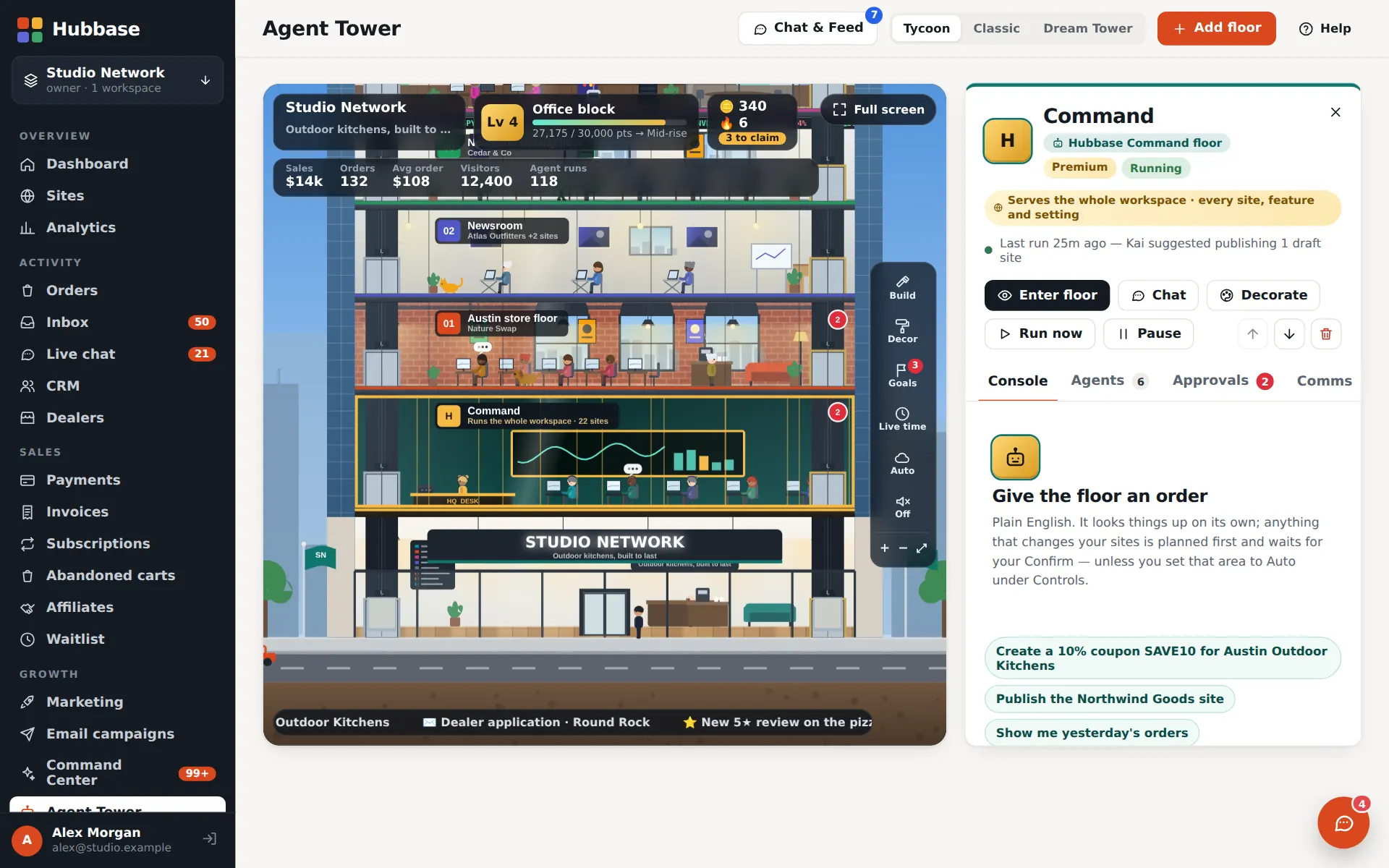
A console that runs your whole admin
The tower's base floor takes plain-English orders — “put the Ruby grills on sale and draft an email about it” — and works across every part of Hubbase, showing each step as it goes. It's a monthly add-on on top of the Agent Tower.
- Orders run as tasks with visible steps; anything risky waits in the approval queue
- An HQ phone desk and HQ email desk route callers and mail to the right floor
- Includes the client-site builder in the partner program — build a site for a prospect before they join
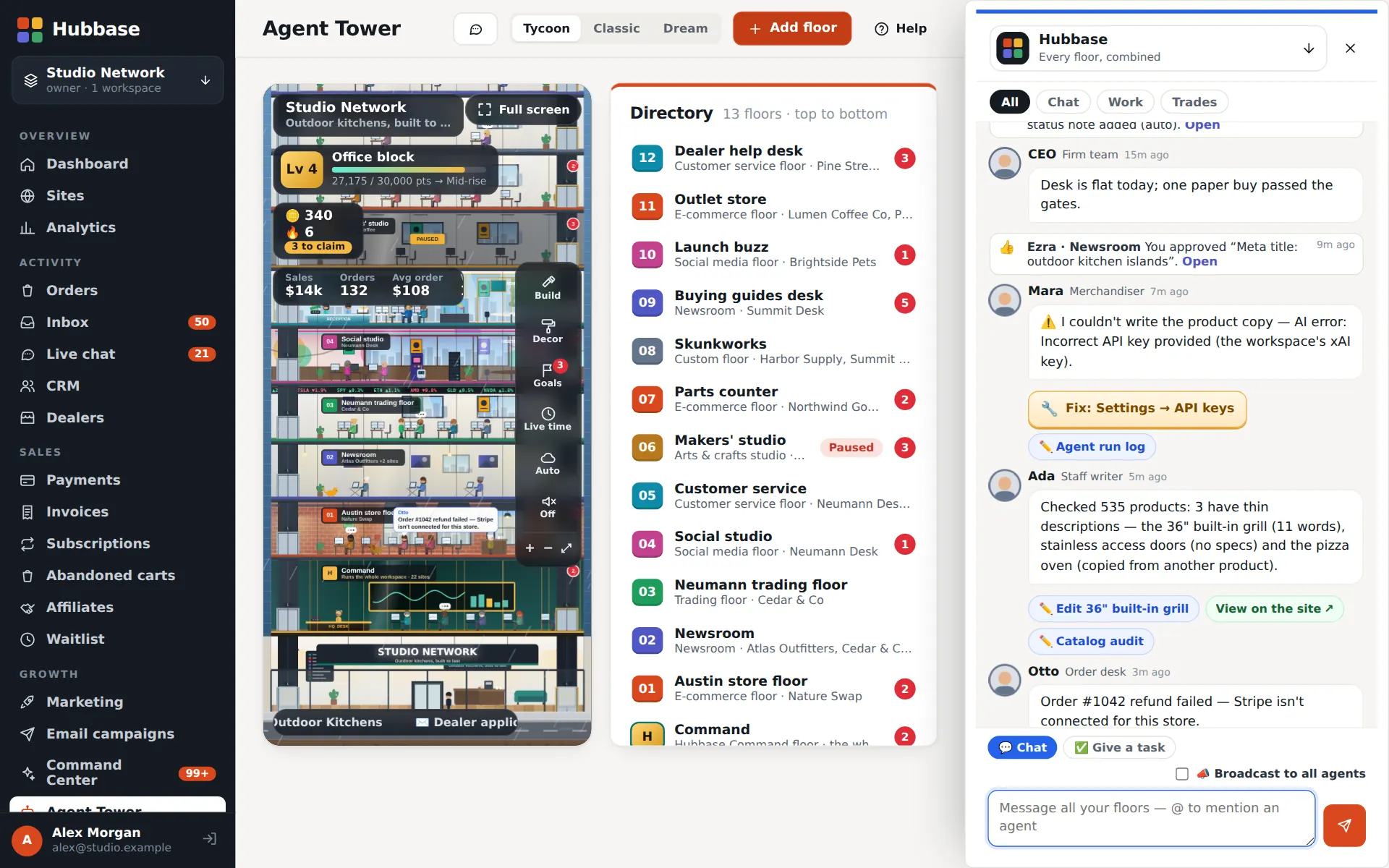
Message one agent, a floor, or the whole tower
Direct-message an agent with a task, group-chat a floor, or broadcast to every floor at once. The combined feed shows what every agent ran, drafted, applied and had approved — live.
- Give a task in chat; the agent replies with its plan, its steps and links to what it changed
- Approve or reject drafts right from the feed
- Desk floors post their trades and signals into the same feed
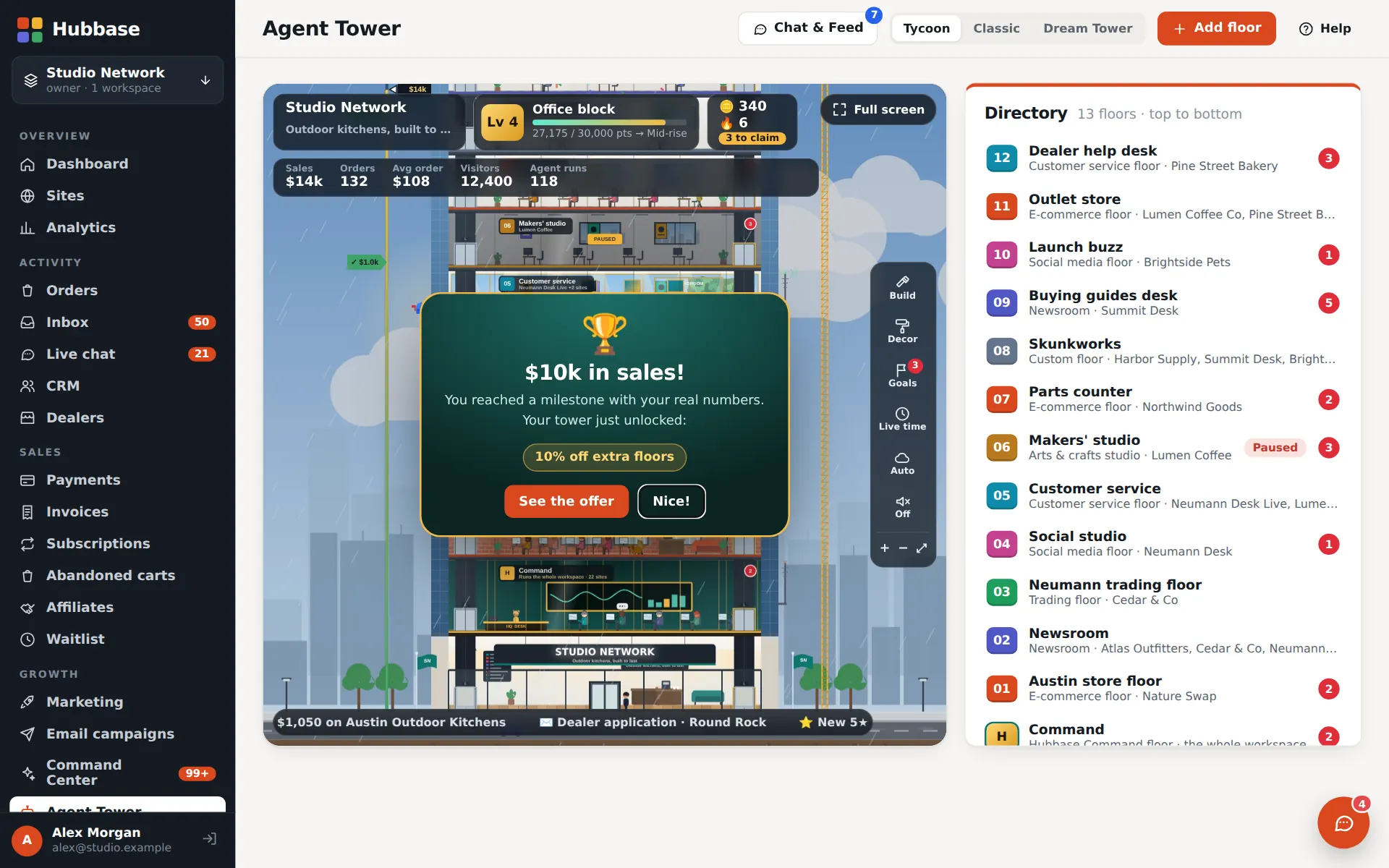
A game you win with real sales
The Tycoon view turns your tower into a living building — elevators, tenants, day and night — with goal markers measured from your real orders and revenue. Reach a milestone and the tower unlocks building styles, rooms and decor; from $250,000 in lifetime sales, some milestones also bring a discount on extra agent floors or a free one.
- Milestones come from real numbers: orders, revenue, sites and agent work — not from playing
- Daily goals and streaks; tower credits buy cosmetics only, never floors or anything billed
- Full-screen game mode built for phones, with a Games arcade: Tower Stack (a crane-stacking game with a daily challenge) and the desk's game room
- The Tower app adds missions, XP and coins on top — earned by reviewing real work, and spent on looks only
Build the tower of the businesses you want next
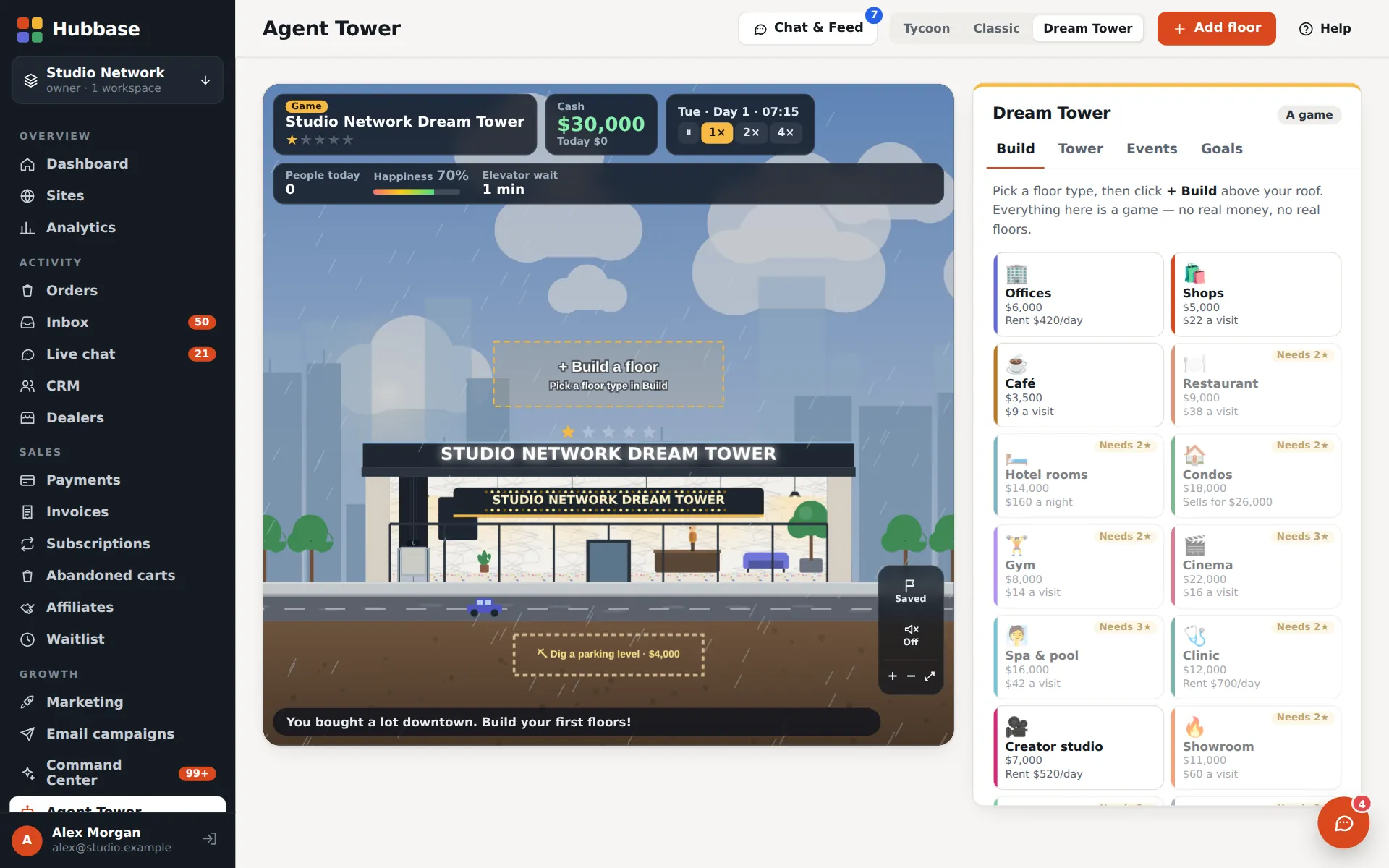
Dream Tower is a sandbox tower-builder: offices, shops, restaurants, hotel rooms, condos, gyms and cinemas, with tenants, rent, star ratings and events. It's clearly a game — nothing real is bought and these floors cost nothing.
- Original art and rules, saved with your workspace
- Plan elevators, keep tenants happy, grow the star rating
- Sits beside your real tower — switch views in one click
Hubbase on your phone — an app-style admin, and app-style stores
On a phone the admin works like an app: a bottom tab bar with Home, Attention, a raised Tower button, Orders, Inbox and More, lists as stacked cards, dialogs as sheets and pull-to-refresh on list screens. It is an installable web app — add it to your home screen from the browser and it opens full screen from its own icon. There is nothing to download from an app store.
- Home-screen shortcuts to the Tower, Needs attention, Orders, Inbox and Approvals, and an icon badge for what needs you on phones that support badges
- An offline page when there is no connection — Hubbase needs a connection to load and save your data
- A focused Builder for phones: the page list, a live preview of the draft, Site audit, Publish and quick text and picture edits. Layout work stays on a larger screen
- Stores built in Hubbase get phone chrome too: a compact top bar, a bottom tab bar (Home, Shop, Search, Cart, Account), a drill-down menu, a sticky add-to-cart bar and a filter sheet
- Each built site can offer its own Add to Home Screen — switched per site in the Builder
Agents that draft — you approve
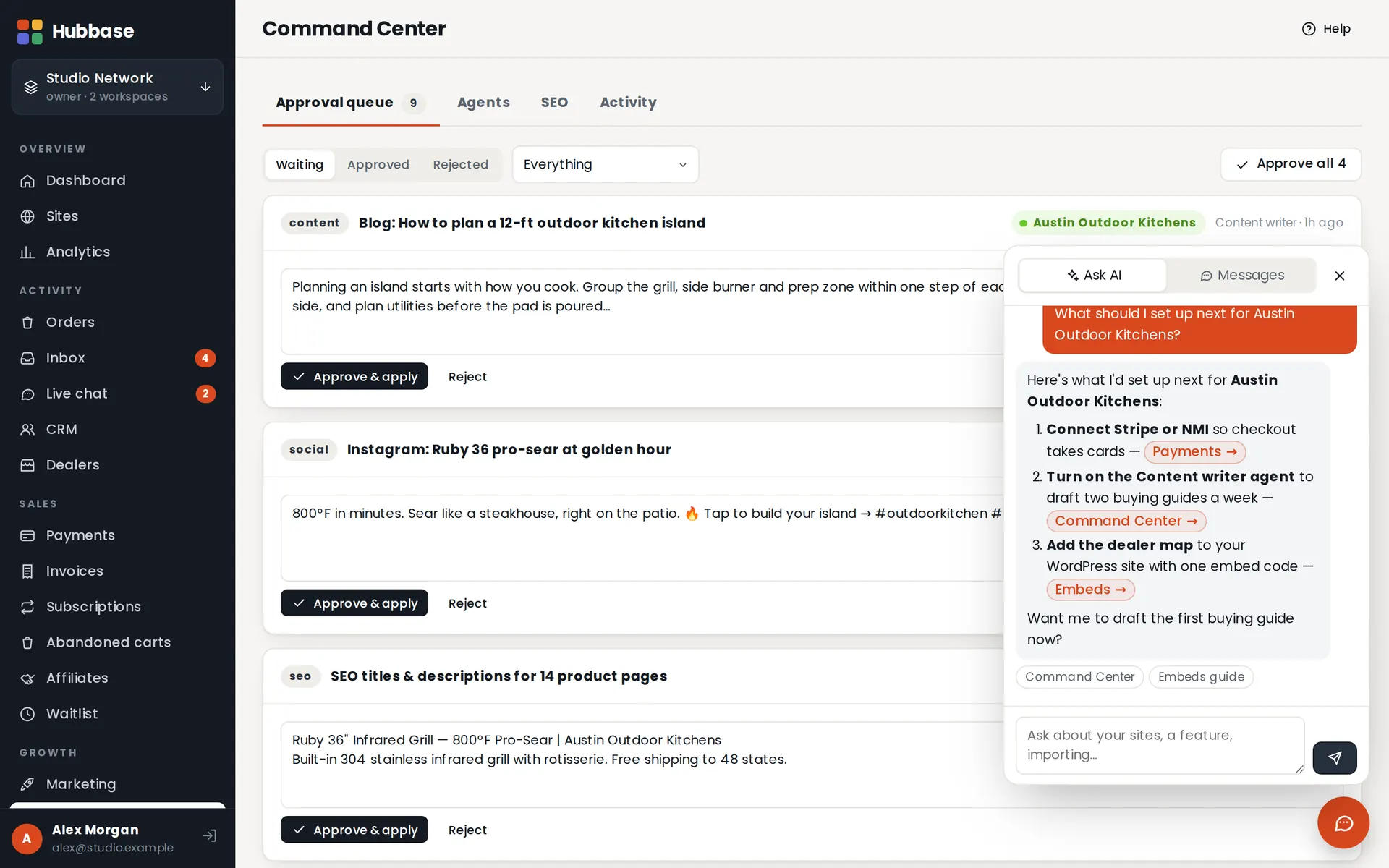
Scheduled agents write articles, product copy, SEO and social posts, reply to reviews and follow up leads. Everything waits in one approval queue. Bring Claude, ChatGPT, Grok or Gemini with scoped agent keys over REST or MCP.
- Content, SEO, social, review-reply and lead follow-up agents
- Agent keys with per-area permissions and per-site limits; every change logged
- A public guide for AI agents at /agents.md
One list of everything that needs a person
Needs attention gathers what someone has to look at across every site — orders, inbox, support, dealers, email, texts, SEO, billing, the website and setup — into one list with filters, search, snooze and a one-click fix where a fix is safe. Autopilot shows what Hubbase checks by itself, how often, and what it found.
- Automatic checks only flag: they read your data and tell you, and never change anything. What gets fixed closes itself on the next check
- Agents that can't finish something flag it for you instead of guessing
- Autopilot lists every site and area with its check (Flag only or Off) and each agent's level — off, draft for approval or auto
- A weekly digest email of what the bots did and what needs you — off until you switch it on, and it needs email sending set up
- A person only sees the sites their role allows; export the list as CSV
The reply is drafted before you open the ticket
When a message, quote request, warranty claim, dealer application, handed-off chat, review or abandoned cart with contact details comes in, the assistant writes the reply from your support knowledge, the customer's own orders and your always / never notes. You approve and send, edit first, regenerate or discard.
- Each draft shows its sources, a confidence level and the reasons it needs a person — a refund, a legal threat, a safety question, a pricing exception
- Warranty and dealer-application drafts acknowledge and ask for what is needed. They never make the decision
- It picks up your phrasing from the last few edits you made for each kind of request
- Automatic sending is off everywhere. Switching it on for one kind of request takes an owner or admin and a typed confirmation — and even then only high-confidence drafts with no warning go out, within a daily cap, and a kind that misses pauses itself
- Drafting uses your AI setup; sending needs email set up, and Twilio for texts
Agents that answer the phone and the inbox
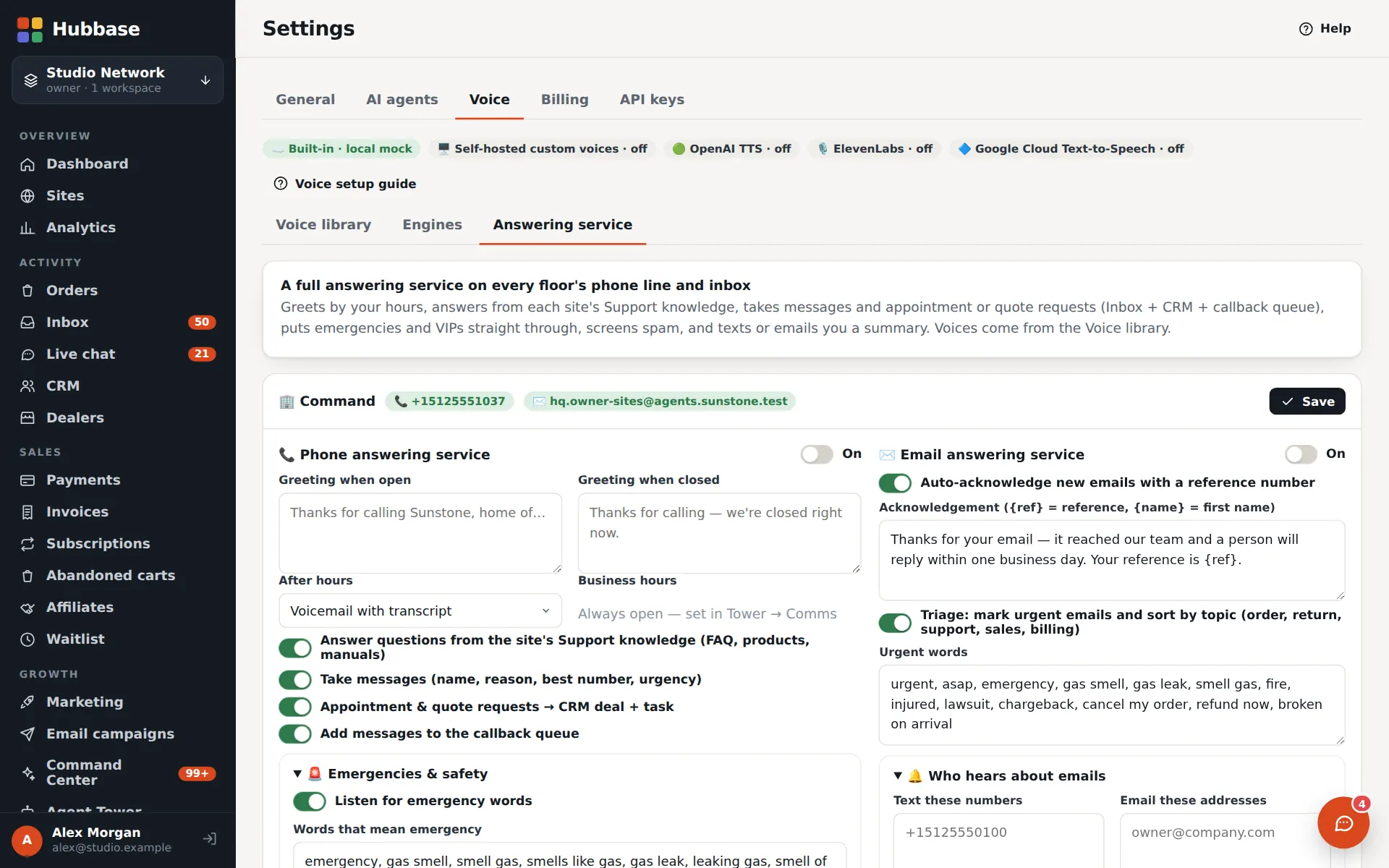
Give a floor its own phone line and inbox. Its agents greet callers, answer from your support knowledge, take messages and callbacks, and triage email by urgency — and your sites can read pages aloud and talk with visitors.
- Answering service: open and closed greetings, voicemail with transcripts, callback queue, recordings
- Voice designer and a voice library for phone agents and site narration
- Phone lines and inboxes are per-floor add-ons; call minutes are billed by Twilio
A tech-support desk that has read every manual
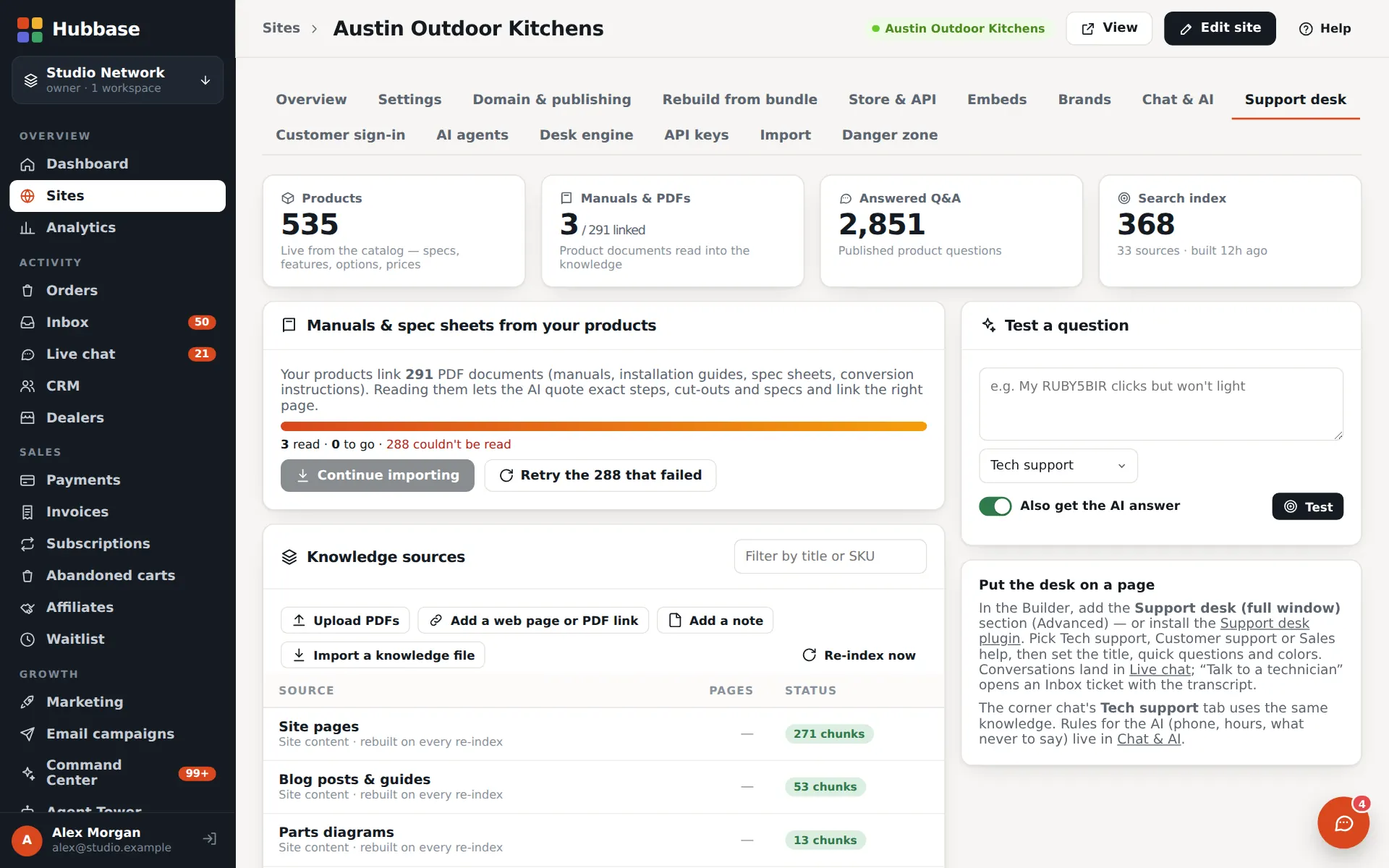
Upload your manuals, installation guides and spec sheets. The support desk on your site answers from them — and from your live products and published Q&A — with the source it used.
- PDFs are read in your browser and indexed per site
- Prices and specs come live from your catalog, so answers stay current
- Questions it can't answer go to your inbox as tickets
- Topic rules tell the assistant what to recommend or explain for a topic, and can attach documents by title
- Answers can carry Downloads — the discussed product's manual and spec sheet — and how-to videos in an unbranded player
Find prospects on a map — then learn who to call
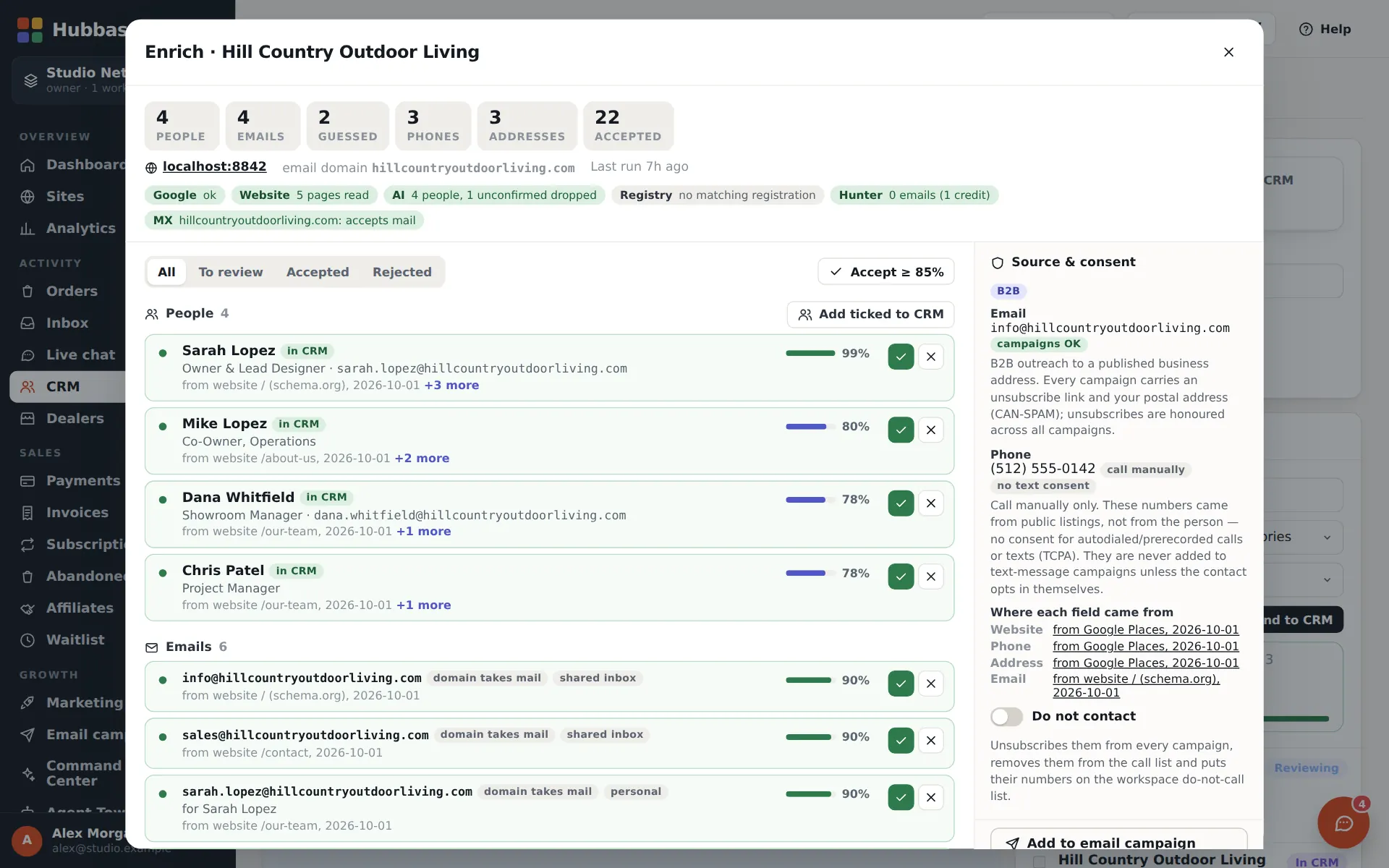
Everyone who orders, writes in or applies on any site becomes a CRM contact. The research map finds businesses that could sell or install your products; enrichment reads their websites for the people, emails and phone numbers behind them, with where each fact came from.
- Contacts, companies, deal pipeline, tasks and the dealer locator
- Market research by category and area; already-signed dealers are marked
- Enrichment with confidence scores, consent notes and a do-not-contact list; call and campaign lists in one click
Bots research the leads — you approve what enters the CRM
Give the lead bots a brief and they research businesses that could buy from you, then write a report: each lead with a fit score, why it fits and the pages every fact came from. You approve, edit or reject each one, and approved leads become CRM contacts.
- Leads come from addresses and directories you name, your own inbox, carts and chats, saved Market research prospects, Google Maps search and optional web search — the last two need their keys set up
- Only details a business publishes on its own website or listing; robots.txt is respected, and a lead with no evidence is dropped
- Nothing is ever sent: a suggested first message is only a draft in the approval queue
- Do-not-contact and suppression lists are respected, duplicates are marked, and what a report added can be removed again for 30 days
- Saved briefs can run on a schedule, and a CRM keeper flags duplicates and drafts merges for approval
Know who sells your products — and at what price
MAP enforcement finds the websites that sell a store's products, reads what they list and the price they advertise, compares it with your catalog and keeps a report per seller with the evidence. Competitors tracks the competitors you approve: price positioning against your own products, a change feed and reports that link to their evidence.
- Notice emails are drafts — one per seller, sent only when a person presses Approve & send
- Polite by design: robots.txt respected, slow requests, no logins, no CAPTCHA solving. A site that can't be read is listed to check by hand, never bypassed
- A product match that is ambiguous is marked “needs a look” and never goes into a notice
- Nothing is tracked until you approve a competitor, and findings only come from pages that were actually fetched
- Finding unknown sellers and competitors needs a web search key (Brave Search or Google Programmable Search) in Settings → API keys
Branded email — then campaigns
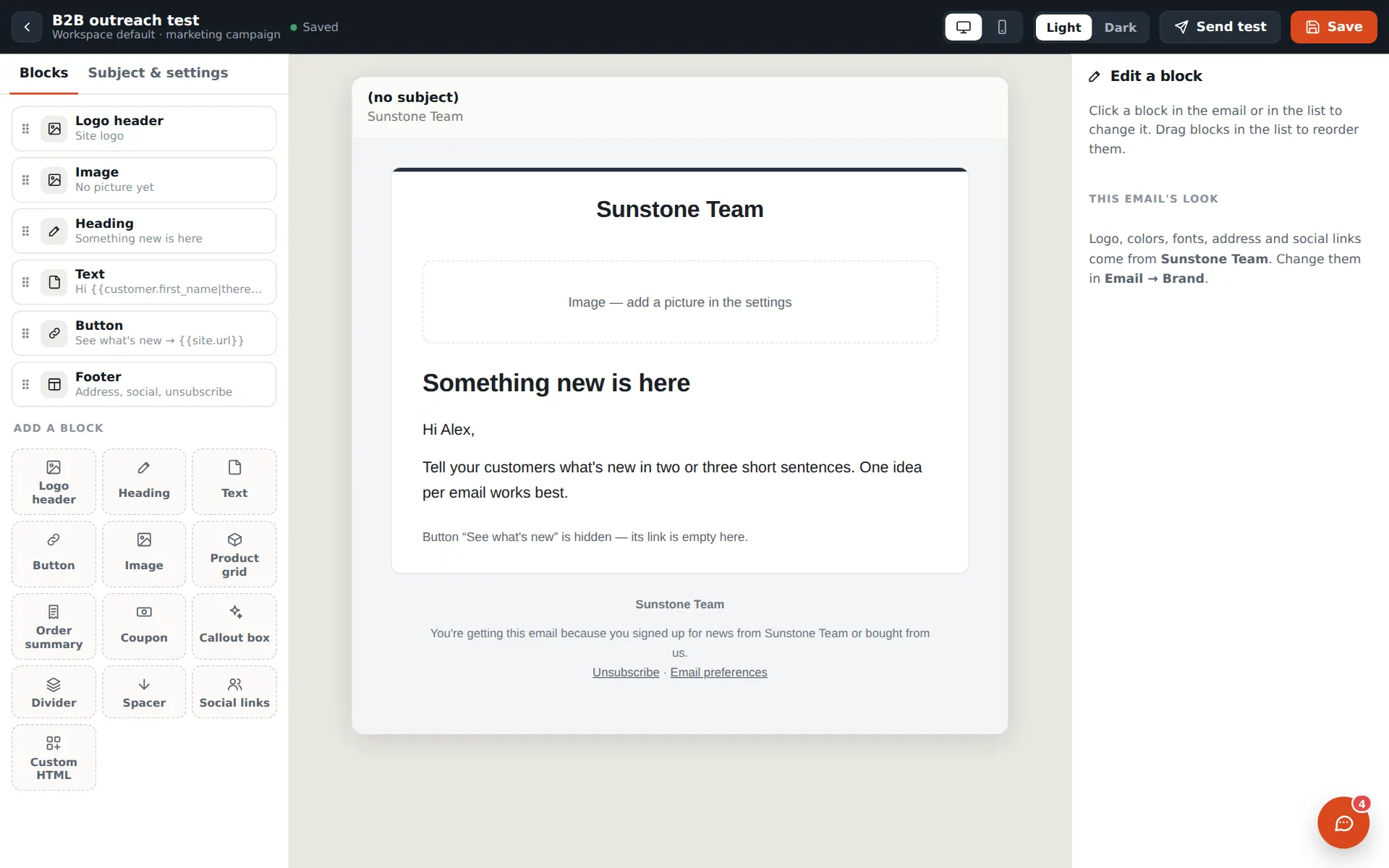
Order and account emails go out in your brand, designed in a drag-and-drop email builder. Turn on campaigns to email your CRM audiences — by site, tag, customers or leads — with unsubscribes handled for you.
- Email builder: logo header, product grid, order summary, coupon, social links, light and dark
- Campaign sending through Amazon SES or your own provider, with warm-up and sending health
- Unsubscribe and email-preference pages on every campaign
Order texts and SMS campaigns, done by the book
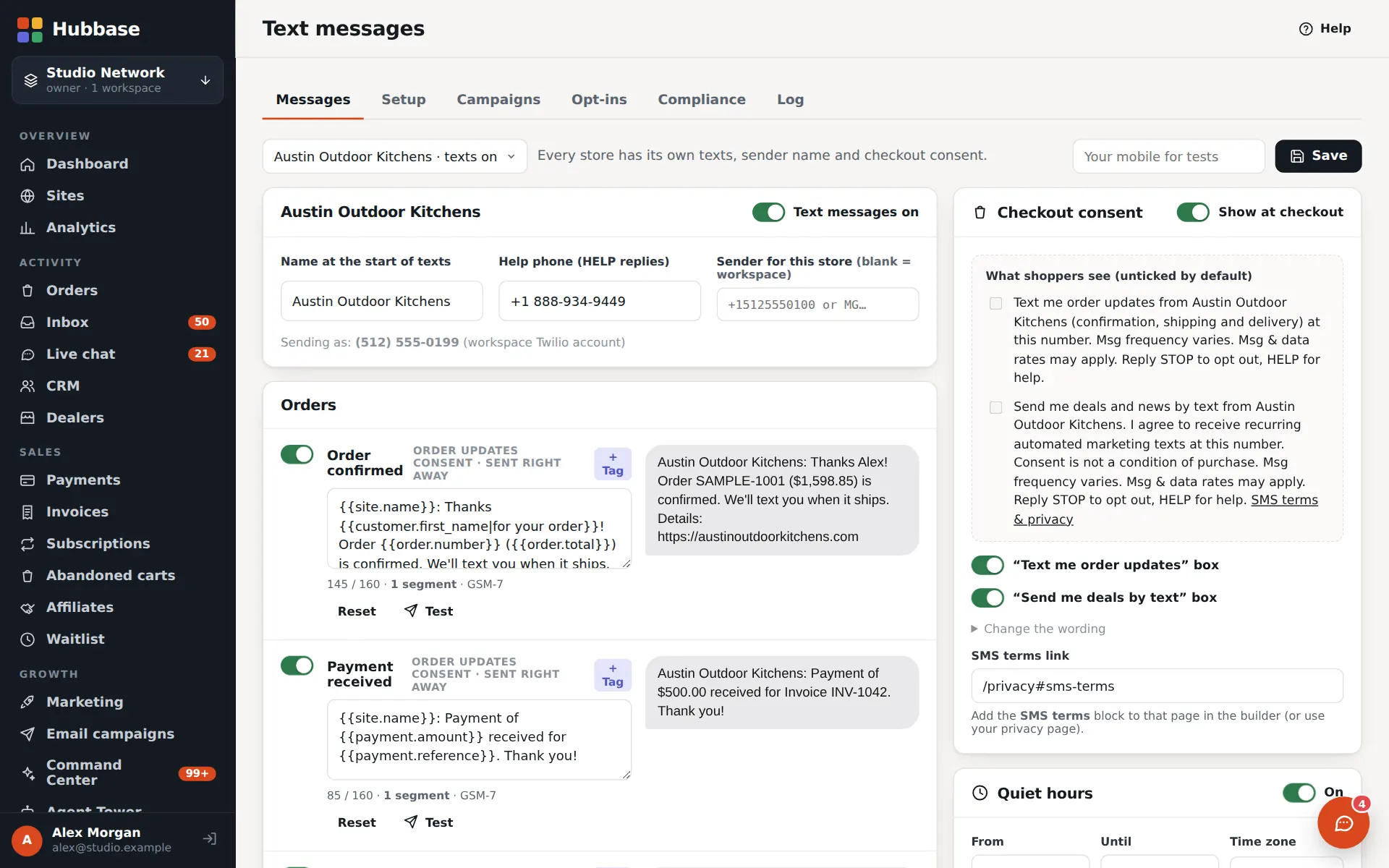
Text customers who opted in at checkout when their order is confirmed, paid or shipped. On the next layer, send text campaigns to opted-in audiences.
- Per-site sender name, help reply and message templates
- Opt-in boxes at checkout, STOP handling and quiet hours
- 10DLC registration guidance for campaigns; texts are billed by Twilio
Every rep gets a landing page — and a chat line
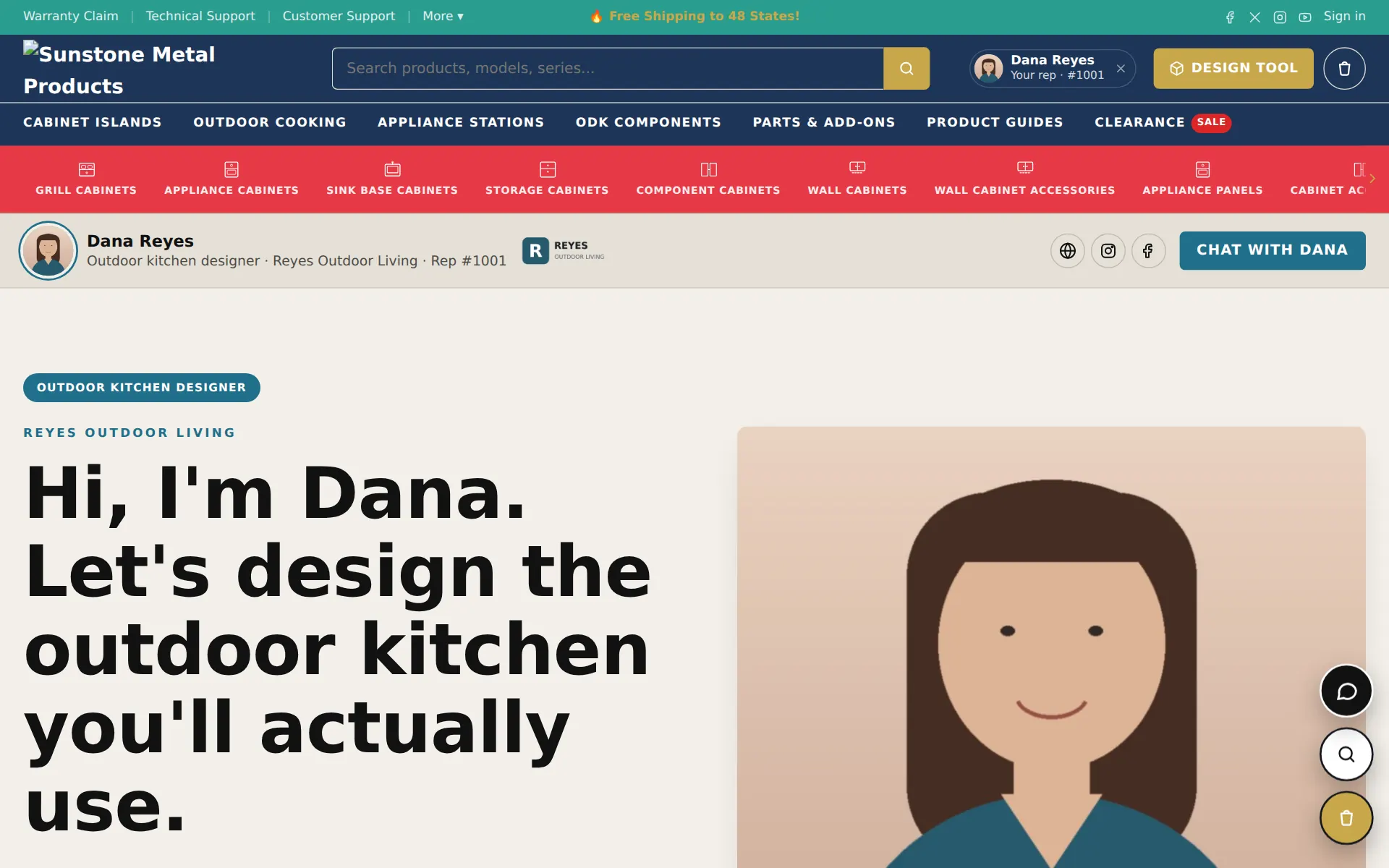
Run an affiliate program with links, commissions and payouts. On the next layer each rep gets their own landing page at /a/their-name, shoppers can chat with them, and the rep is credited on the order and the invoice.
- Pre-build a rep's page for them and send the invite
- The rep's badge follows the shopper through cart and checkout
- Rep inbox with private notes; the rep shows on orders and invoices
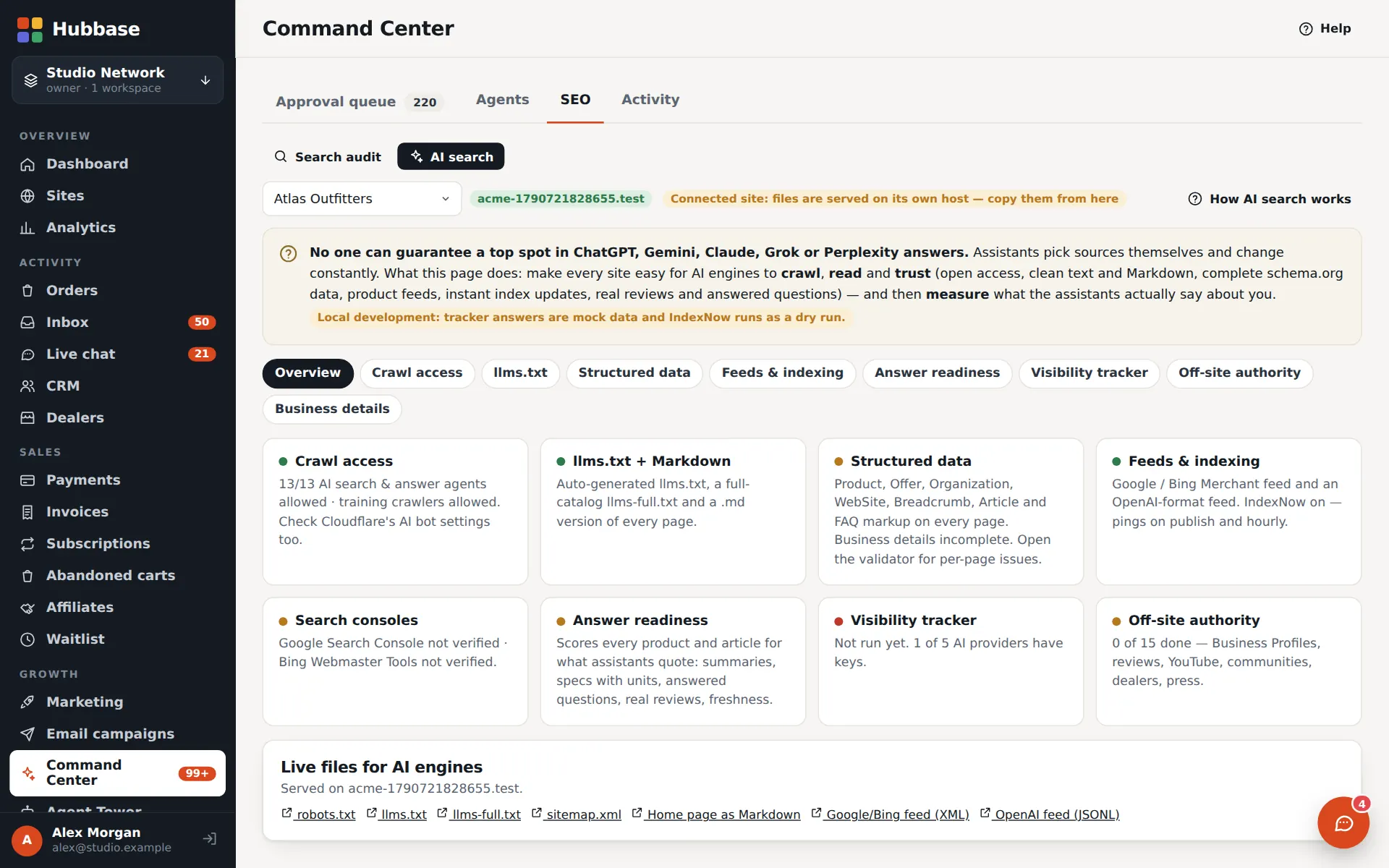
Be the answer when people ask an AI
Make every site easy for AI assistants to read and cite: llms.txt, Markdown versions of pages, structured data, Merchant and OpenAI product feeds, crawler policy and IndexNow. The tracker then checks whether assistants mention you, week by week.
- Readiness checks with drafts for the approval queue
- Feeds for Google Merchant and OpenAI product search
- Honest by design: nobody can guarantee a spot in an AI answer — the tracker measures, it doesn't promise
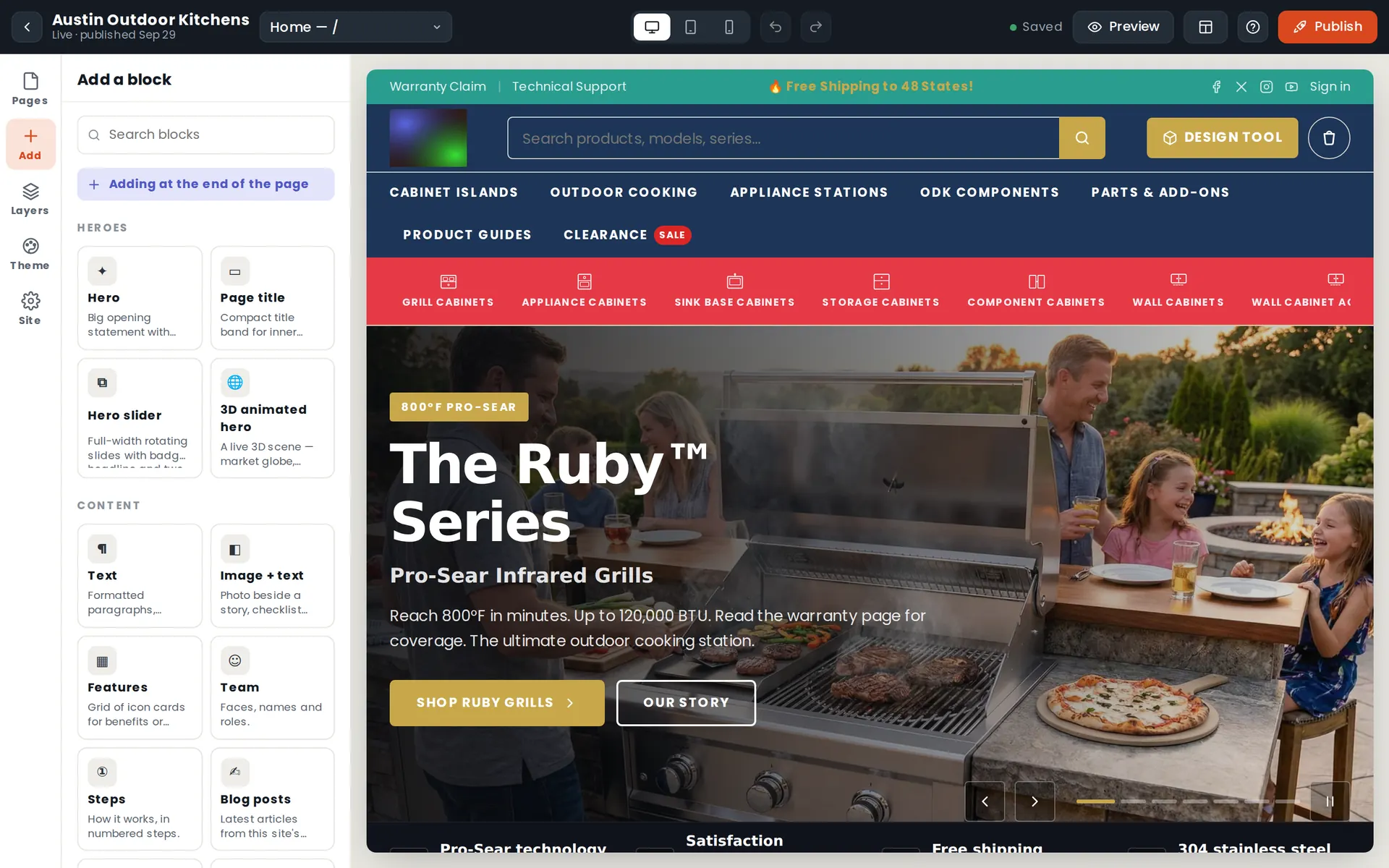
Design pages visually — publish in one click
Drag in finished blocks, click any text to edit it, swap themes and fonts, preview on phone and tablet. Start from complete store templates, or import an existing WordPress, Shopify or Wix site.
- Designed blocks — heroes, sliders, 3D scenes, pricing, galleries, reviews
- Mega menus, headers, themes and dark sections
- Several drop-down menu sets per site, each applied to the main menu, the icon bar or the top bar
- Collection side filter on Auto, Always or Never, and a clearance spotlight block with sale and crossed-out prices read live from the catalog
- Drafts, undo and one-click publish to your own domain
- Restore points: a full copy of a site is saved before big changes and once a day, and you can roll the site, chosen pages or only the design back — to the draft first
- Copy an existing website, every page and file, into a private preview, then turn its pages into editable drafts one at a time
An audit that fixes what is certain — and asks about the rest
In the Builder, Site audit reads every page — draft and live — plus the header, menus and footer, and reports what a visitor would notice: missing or dead pictures, left-over template text, broken links, form and checkout basics, SEO, phone and accessibility basics and unpublished changes.
- Safe fixes apply in one click, with a backup and Undo
- “Have the bot fix it”: the AI proposes an edit for one finding inside a checked set of operations — it must hit a real section and field, links must resolve and pictures must come from the offered list — then you Keep, Undo or Try again
- Bot edits land on the draft, unless a manager sets that site to draft and live. The bot never publishes
- When it can't fix something it says why instead of guessing, and a bot record keeps score of what was kept and undone
- Findings also show in Needs attention; the bot needs an AI key
Point your domain at Hubbase from the admin
The Your domain panel shows where a site's domain stands in four steps — the site is live in Hubbase, the domain is found, it is connected, and it is verified from your browser — and lists the exact changes Connect would make before you make them.
- Connect asks you to type the domain to confirm; Undo puts back exactly what Hubbase changed
- A site still on its old host can go live from the Builder first — the domain keeps working where it is until you connect it
- Domains whose DNS is managed elsewhere connect with one DNS record, after a one-time setup by the platform owner
- Needs a Cloudflare API token in Settings → API keys. AI agents can read the status but can never change a domain
A real store — catalog, checkout, payments
Products with options, specs, documents and video. Cart, checkout, coupons, tax, shipping and cards on file — charged into your own merchant account. Every order from every site lands in one list.
- Invoices, store subscriptions, abandoned-cart recovery, waitlists, reviews and Q&A
- Dealer price levels and quote-first ordering for big-ticket items
- Customers can sign in with Google on the store's own sign-in page, once the sign-in keys are set
- Brands network: publish your catalog to dealers, or sell other brands with drop-ship
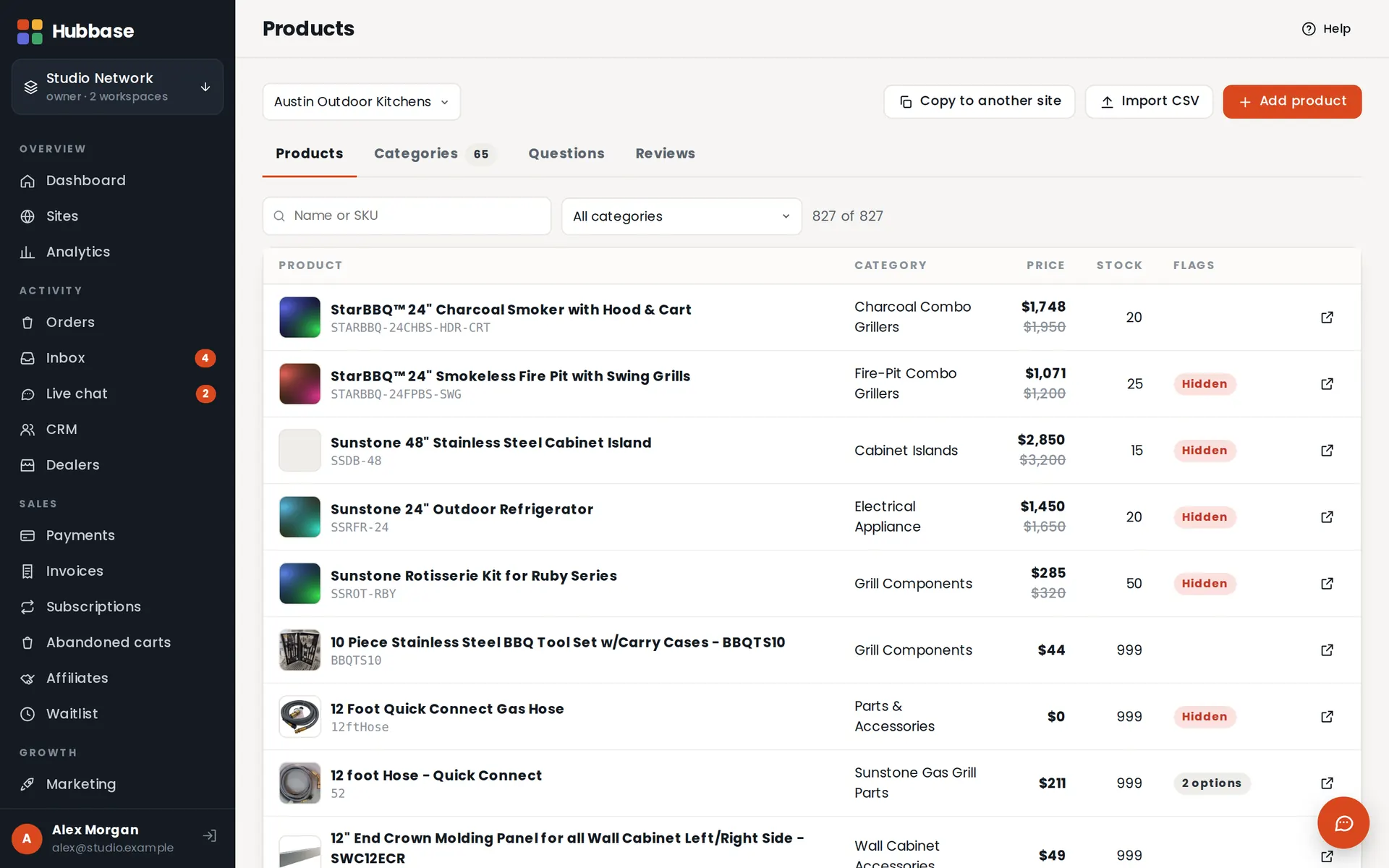
Every product that needs you, in one group
Products → Needs attention collects each product with something only a person can settle: pictures the image audit couldn't fill, price-sheet rows to confirm, catalog basics such as a missing price, category or SKU, and what agents flagged instead of guessing.
- Image audit checks products, option thumbnails, categories and page pictures for missing, placeholder and dead images
- Certain matches are filled from photos your catalog already has, each one recorded and undoable — a picture is never invented
- Issues close themselves once the next check no longer finds them; your own Resolve or Dismiss is never undone
- With the Agent Tower, the catalog audit also checks every product and drafts fixes for the approval queue
Dealer levels, price sheets and documents
Give each dealer level its own costs. Signed-in dealers see their own level's prices in a wholesale quick-shop, and download their level's price sheet and the documents addressed to them from their account page.
- A price sheet per level as Excel, CSV or print, generated from the live catalog
- Import your own price sheet: Hubbase checks it against the catalog and lists every change, from → to, before anything is applied. Nothing is deleted
- Dealers can order at their cost plus shipping, or at a shipping-included price
- A dealer only ever receives their own level's sheet and documents — there is no public file address
- A download log shows which dealers opened what
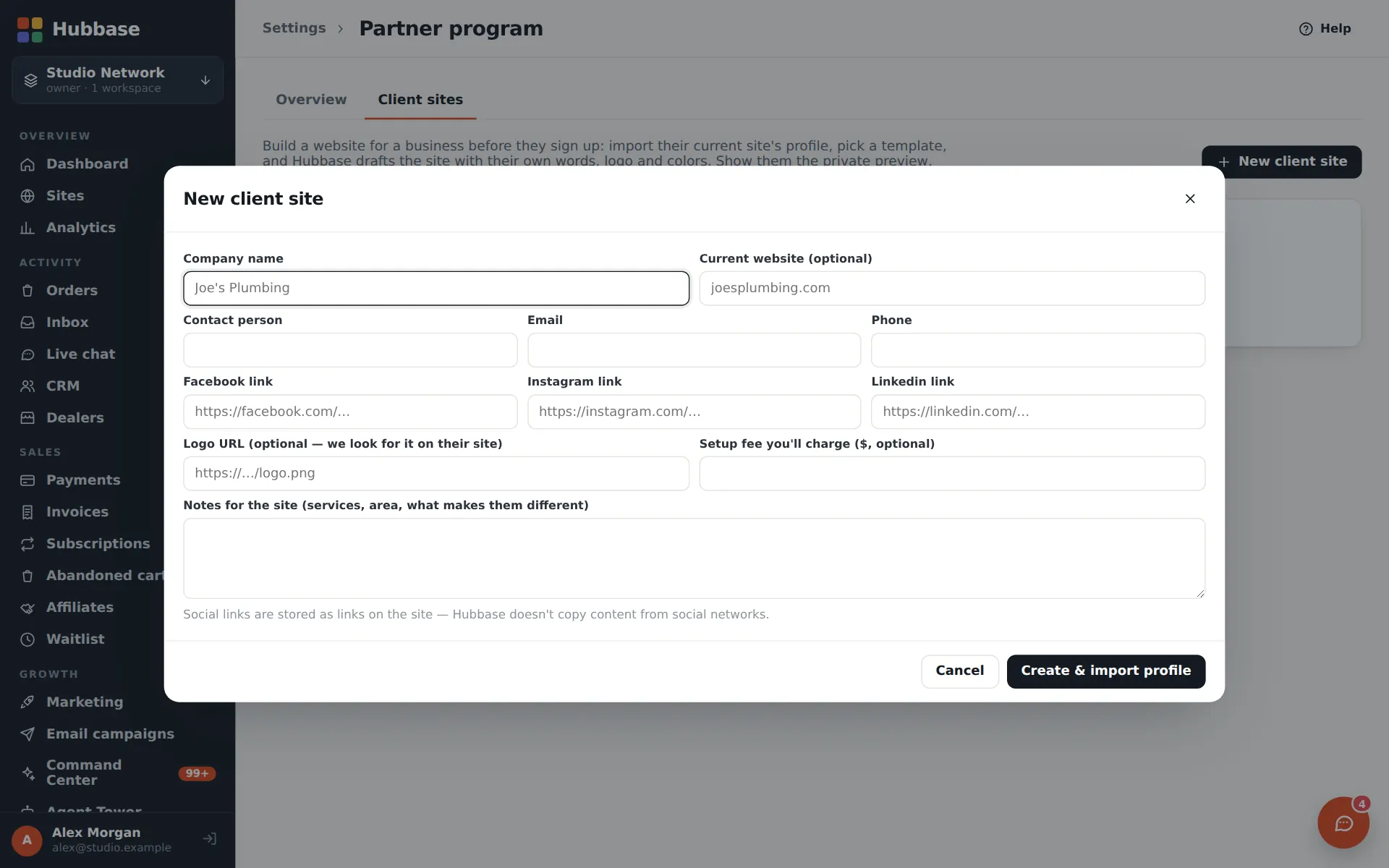
Refer businesses — or build their site first
Share your Hubbase link and earn a commission when the businesses you refer subscribe. With the Hubbase floor you can build a website for a prospect from their current site, show them a private preview, and hand it over when they join.
- Your referral link and invites, with sign-ups and paying clients tracked
- Commissions follow the owner's program rules, with hold periods and refunds handled
- Client sites move into the new customer's own Hubbase
Your store, forms and chat — on any website
Paste one short code into WordPress, Wix, Squarespace, Shopify or plain HTML. Build any form with logic, uploads, signatures and payments. Add features from the plugins marketplace.
- Store, buy buttons, dealer map, forms and live chat embeds
- Forms land in the Inbox and the CRM, labelled with the site
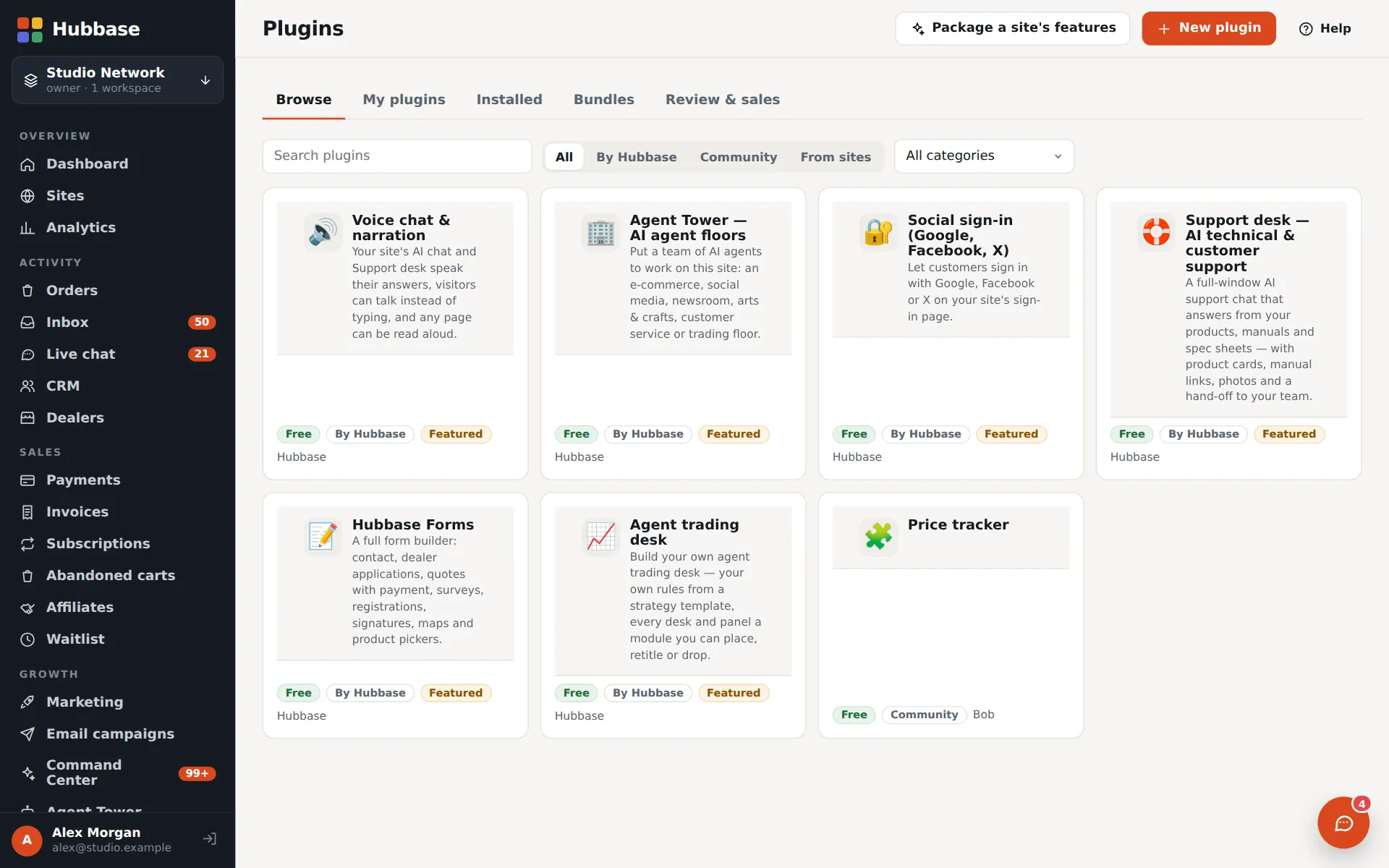
- Plugins: voice & narration, social sign-in, support desk, Agent Tower floors and more
- Configurator plugins — a 2D + 3D outdoor kitchen configurator and a 2D planner — land on a site as a draft page
- Motion sections plugin: a video hero with rotating words, a scroll-driven feature tour and a navy-and-gold saved look
Launch an agent-run trading desk
The desk engine turns a site into a live trading floor: specialist AI agents, written rules for every sleeve, member sign-ups and pricing — and it shows up in your tower as a trading floor.
- Desk pages for trading, crypto, markets and research
- Agent teams on a schedule with a live activity feed
- Paper trading by default; member accounts, approvals and paid tiers

The complete capability list.
Agent Tower
- Floors of agents by type
- Hubbase floor console (add-on)
- Chat & Feed: DMs, group, broadcast
- Visible task steps & fix-it links
- Tycoon, Dream Tower & arcade
- Goals, streaks, milestones from real sales
- The Tower app: missions, swipe decks, Undo
- XP and coins for reviewing — cosmetic only
Voice & support
- Phone line & inbox per floor (add-ons)
- Answering service & callbacks
- Voice designer & voice library
- Read-aloud narration & voice chat
- Support desk from your manuals
- Topic rules, downloads & how-to videos in answers
- Live chat with AI answers
- Reply drafts for Approve & send
Customers
- CRM contacts, deals, tasks
- Dealers & locator map
- Market research map
- Prospect enrichment
- Shopper accounts & Google sign-in
- Unified inbox
- Lead reports approved into the CRM
- MAP enforcement & seller reports
- Competitor tracking & price positioning
Marketing
- Branded order emails & email builder
- Email campaigns & unsubscribes
- Amazon SES sending & warm-up
- Order texts & SMS campaigns
- Affiliates & rep landing pages
- AI search visibility & tracker
Commerce
- Products, categories, options
- Checkout & payments (NMI · Stripe)
- Invoices & store subscriptions
- Coupons, carts, waitlists
- Shipping & tax rules
- Brands network & drop-ship
- Dealer levels, quick-shop & price sheets
- Product, image & catalog audits
Build & run
- Visual builder & templates
- Forms, embeds & plugins
- Custom domains & SSL
- Team roles, per-site access
- Agent keys & MCP server
- Partner program & client sites
- Phone app: installable admin & store chrome
- Needs attention & Autopilot
- Site audit & bot fixes
- Connect domain with Undo
- Configurator & motion-section plugins
Put a team of agents on every floor.
Tell us what you're building. Once you're approved, start a free trial with the trial plan's features on.